Even when APIs, cloud connectors, and native integrations dominate the conversation in 2026, Oracle ODBC drivers remain the bedrock of enterprise data flow. They quietly power the BI dashboards you rely on, the Excel reports you trust, and the legacy systems you still depend on.
But not all Oracle ODBC drivers deliver the same results. Some are built for speed, stability, and modern analytics workloads, while others struggle to keep up with today’s enterprise demands.
In this guide, we compare the best Oracle ODBC drivers for 2026, focusing on performance, compatibility, architecture support, and enterprise readiness.
Table of contents- How to choose the best Oracle ODBC Driver
- Why use an Oracle ODBC driver for enterprise data connectivity
- List of the best Oracle ODBC drivers
- Oracle ODBC driver comparison table
- How to choose the right Oracle ODBC driver
- Final word: What is the best Oracle ODBC?
- FAQ

How to choose the best Oracle ODBC Driver
To pick the best ODBC driver for Oracle, focus on what really counts. We’ll walk you through the key factors (compatibility, performance, security, and ease of management) so you can confidently make the right choice.
Compatibility
Confirm whether the driver matches your environment. Your ODBC driver for Oracle must align with your application architecture, whether that’s 32-bit or 64-bit. However, in reality, many teams run both. That’s because some use a mix: older legacy systems, which often stick to 32-bit, and modern analytics, relying on 64-bit.
Performance
Evaluate how the driver handles your workload. Some process large queries and frequent updates easily, while others slow down. Direct connections, which skip the Oracle Client, keep your reporting fast and efficient.
Security
Consider a driver that supports SSL/TLS encryption so data stays protected in transit, especially if you’re connecting to Oracle Cloud or external systems. And if your data includes multiple languages, make sure the driver has solid Unicode support.
Setup and maintenance
Think about how the driver will fit into your ongoing operations. Some drivers require Oracle Client installation, which means extra setup and maintenance—more steps, more versions to manage. Others connect directly over TCP/IP, keeping things simpler and easier to maintain.
Why use an Oracle ODBC driver for enterprise data connectivity
ODBC is still one of the most stable and widely used standards for connecting Oracle to business systems. It is still useful in 2026 because it works with a lot of different things and is reliable. Here are the main benefits of using this tool:
- Supports the tools you already use: Windows environments depend on ODBC for tools like Excel, Power BI, SSIS, and legacy ERP systems.
- Delivers reliable performance: ODBC operates close to the database layer, ensuring consistent behavior under heavy workloads.
- Enables hybrid architectures: It works seamlessly with both on-prem Oracle databases and Oracle Cloud.
- Handles mixed environments: ODBC supports both 32-bit and 64-bit applications, so you can run older and newer systems side by side.
- Remains a core BI foundation: Despite newer options like REST APIs and JDBC, ODBC still underpins many enterprise BI stacks.
With these advantages in mind, let’s look at the best Oracle ODBC connectors on the market.
List of the best Oracle ODBC drivers
Here are the best ODBC drivers for Oracle available today. Each one offers a different balance of performance, compatibility, and deployment flexibility.
1. Devart ODBC Driver for Oracle
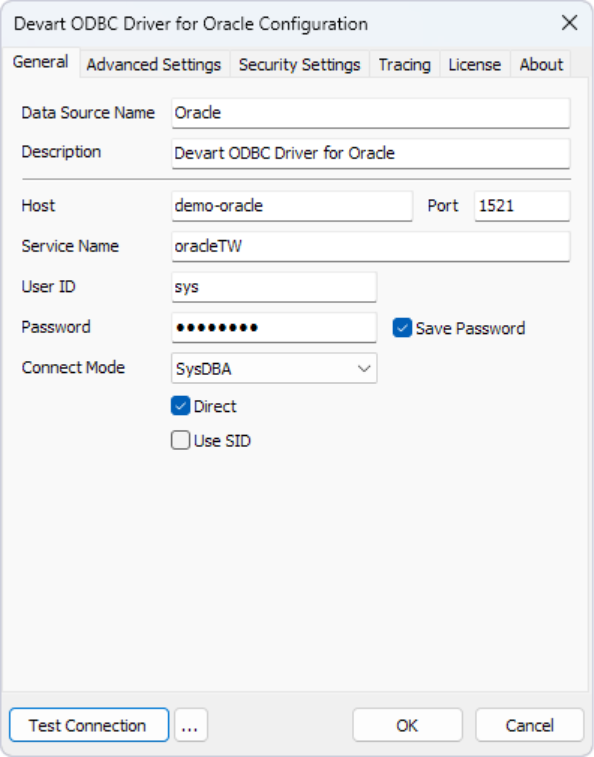
Compatibility: Supports a wide range of Oracle versions, including legacy and modern releases (on-prem and Oracle Cloud).
Best for: Enterprise BI, ETL pipelines, and teams that need direct Oracle connectivity without Oracle Client.
Description
Devart ODBC Driver for Oracle is built for teams that need reliable, high-performance connectivity without the overhead of Oracle Client. It connects directly to Oracle over TCP/IP, which simplifies deployment and removes a common point of failure in enterprise setups.
In practice, this makes it easier to integrate Oracle with BI tools, ETL pipelines, and analytics platforms, especially in environments where speed, stability, and cross-platform support matter.
Features
- ODBC 3.52 compliant.
- Batch processing and efficient data transfer.
- Unicode support for multilingual datasets.
- SSL/TLS encryption for secure connections.
- Direct TCP/IP connectivity (no Oracle Client required).
- Real-time access to Oracle data.
- Connection pooling for improved performance and resource efficiency.
- Advanced data type support.
Pros
- Direct mode removes the need for Oracle Client, simplifying setup.
- Fast data access with optimized query and transfer handling.
- Broad compatibility with BI and ETL tools (Power BI, Tableau, SSIS).
- Cross-platform support (Windows, macOS, Linux).
Cons
- Paid license required.
- May be more than needed for small or one-off use cases.
Price
- Starts at $179.95 (Desktop for Windows).
See how direct Oracle connectivity works in practice, explore Devart ODBC Driver for Oracle and simplify your data setup.
2. Oracle Instant Client ODBC Driver
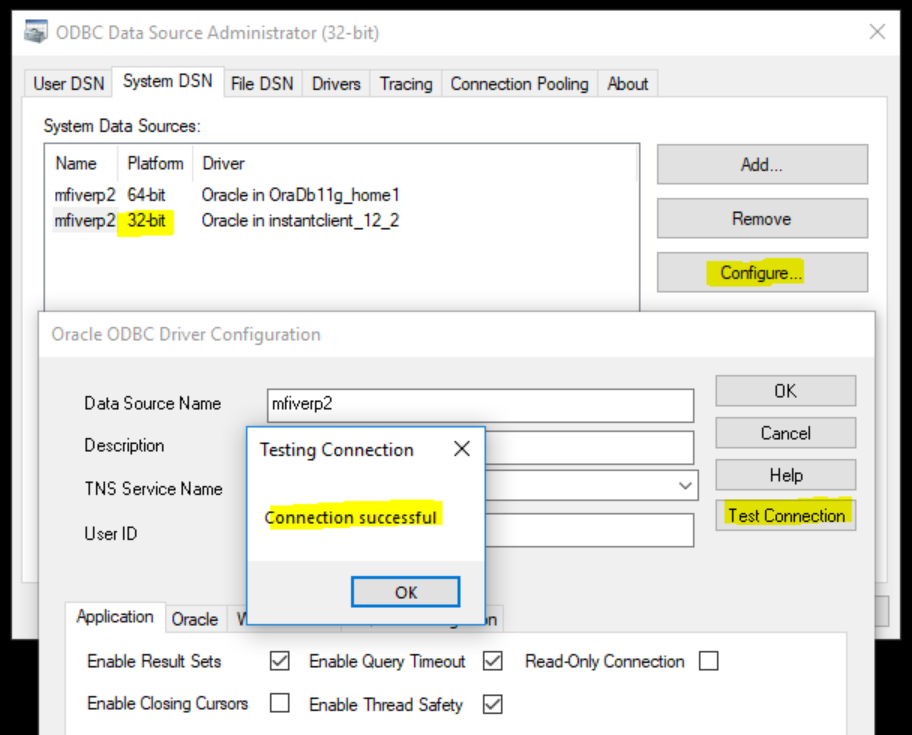
Compatibility: Oracle databases (all supported versions), Windows, Linux (32/64-bit).
Best for: Native Oracle environments where full client setup is already in place.
Description
Oracle Instant Client ODBC Driver is Oracle’s native ODBC solution, bundled as part of the Oracle Instant Client libraries. It provides standard, fully supported connectivity to Oracle databases and integrates directly with the Oracle ecosystem.
For most teams, it works best in environments where Oracle Client is already installed and managed. However, compared to direct-connect drivers, it introduces additional setup and configuration overhead that teams need to account for.
Features
- Native Oracle connectivity.
- Full integration with Oracle tools and libraries.
- Standard ODBC compliance.
- Relies on OCI-based connectivity and Oracle network configuration (TNS/EZCONNECT).
Pros
- Official Oracle-supported driver.
- Full compatibility with Oracle environments.
Cons
- Requires Oracle Instant Client libraries and configuration.
- More complex setup compared to direct-connect drivers.
- Additional maintenance (client updates, environment configuration).
- Requires strict architecture compatibility (32-bit vs 64-bit between the ODBC driver, Oracle Instant Client, and the application; mismatches will prevent connectivity.
Price
- Free
Explore Oracle Instant Client ODBC Driver
3. Microsoft ODBC Driver for Oracle
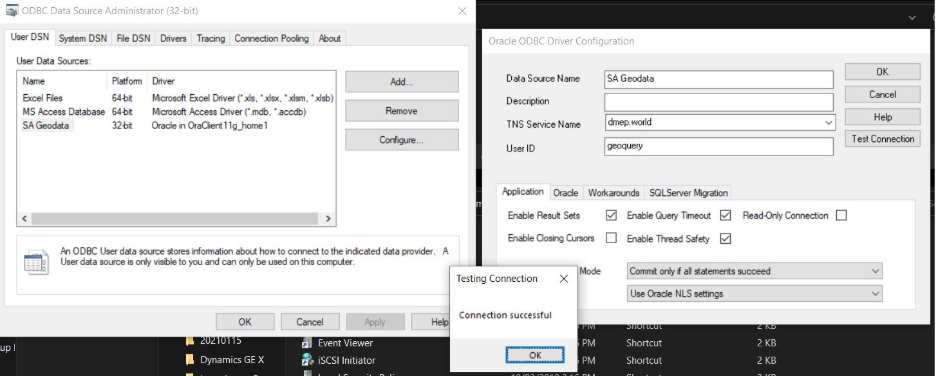
Compatibility: Older Oracle versions, legacy Windows systems (32-bit only).
Best for: Maintaining legacy applications that still depend on outdated Oracle connectivity.
Description
Microsoft ODBC Driver for Oracle is a legacy driver that was originally designed for Windows-based Oracle connectivity. It has long been deprecated and is no longer maintained or supported by Microsoft.
In realworld use, it’s only relevant for older systems that haven’t been updated. It is not compatible with modern Oracle versions and lacks support for newer database features, making it unsuitable for current enterprise environments.
Features
- Basic ODBC connectivity.
- Minimal configuration for legacy setups.
- Limited support for older Oracle data types.
Pros
- Simple to use in existing legacy environments.
- Works with older applications that still depend on it.
Cons
- Not compatible with modern Oracle versions (limited support beyond older releases).
- No ongoing updates or vendor support.
- Lacks Unicode and advanced data type support.
- Limited security features.
- 32-bit only.
- Slower performance and limited scalability under load.
Price
Free (deprecated)
Explore Microsoft ODBC Driver for Oracle
4. CData ODBC Driver for Oracle
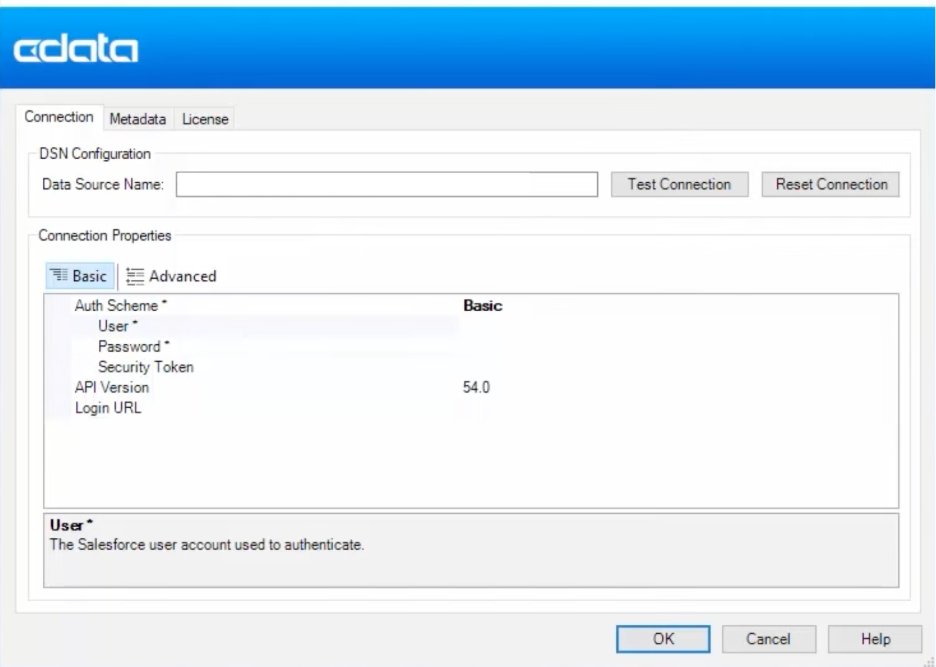
Compatibility: Oracle databases (cloud and on-prem), Windows, Linux, macOS.
Best for: Integration-heavy environments connecting Oracle to BI tools, SaaS platforms, and cloud applications.
Description
The CData ODBC Driver for Oracle is made for teams that need to connect Oracle data to many systems, such as BI tools, SaaS platforms, and cloud apps.
It works by showing Oracle data as relational tables through a SQL abstraction layer. This makes it easier to query and combine data from different places. When Oracle is just one of many sources in a complicated data ecosystem, this method works best.
Features
- SQL-based access to Oracle data through a relational abstraction layer.
- Integration with tools like Power BI, Tableau, Excel, and ETL platforms.
- Cross-platform support (Windows, Linux, macOS).
- Connectivity for both cloud and on-prem Oracle environments.
- Data virtualization capabilities for unified access across systems.
- Support for integration scenarios across APIs and enterprise applications.
Pros
- Strong integration capabilities across tools and platforms.
- Works well in hybrid and cloud-based environments.
- Enables unified access to Oracle data alongside other data sources.
- Commercial support available.
Cons
- Higher cost compared to alternatives.
- Pricing is typically subscription-based and varies by license tier.
- Can be more complex to configure for simple use cases.
Price
Starts at ~$649/year (varies by license tier and connection requirements).
Explore CData ODBC Driver for Oracle
Looking at each tool individually is helpful, but seeing them together makes the differences easier to spot.
Oracle ODBC driver comparison table
Here is a side-by-side comparison of the best Oracle ODBC drivers. It shows you how they differ in terms of performance, compatibility, and setup needs.
| Driver | Direct mode | 32/64-bit support | Requires Oracle Client | SSL support | Best for | Price |
|---|---|---|---|---|---|---|
| Devart | Yes | Yes | No | Advanced | Enterprise BI & DBAs | Starts at 179.95 (Desktop for Windows) |
| Oracle Instant Client | No | Yes | Yes | Standard | Native Oracle environments | Free |
| Microsoft (Legacy) | No | No (32-bit only) | No | No | Legacy systems only | Deprecated |
| CData | Yes | Yes | No | Yes | Integration-heavy environments | Starts at $649/year |
While the table gives you a quick overview, the right choice still depends on your specific setup and workload.
How to choose the right Oracle ODBC driver
Choosing the right ODBC for Oracle connection comes down to how your environment is set up and how demanding your workloads are. Focus on a few key areas:
- Stability: Drivers should handle long-running queries, large datasets, and multiple connections without failing. This matters most for scheduled reports and ETL jobs.
- Portability: Drivers that support direct connection (without requiring Oracle Client installation) simplify deployment, as they eliminate the need to install and configure Oracle Instant Client on every machine.
- Architecture support: A lot of teams use both 32-bit and 64-bit apps. A driver that works with both old and new systems avoids problems with compatibility.
- Security: Make sure the service supports SSL/TLS to keep your data safe while it’s being sent, especially when you’re connecting to Oracle Cloud or remote databases.
- Performance: Drivers that support bulk operations and direct Oracle ODBC connections reduce latency and improve throughput. Direct mode also removes the need for Oracle Client.
- Monitoring and diagnostics: Built-in logging and performance tracking help identify bottlenecks and keep systems running smoothly.
With that in mind, here’s how to think about choosing the right driver in practice.
Final word: What is the best Oracle ODBC?
When picking an Oracle ODBC driver, it’s less about checking off features and more about how it fits into the way you work with data.
In most situations, that choice shows up in small but important ways, like how quickly you can set things up, how stable your connections are when they’re busy, and how easily your tools can get to Oracle data. Drivers that use Oracle Client often make things more complicated and require more maintenance, while others make things easier without sacrificing performance.
Those differences become important over time. They change how well reporting works, how reliable your ETL jobs are, and how much time your team spends managing connectivity instead of working with data.
Devart ODBC Driver for Oracle is different in that way. It cuts down on setup time while still supporting the performance and compatibility needed by BI tools, analytics platforms, and enterprise systems.
If you’re using Oracle in 2026, picking a driver that keeps your data layer simple, stable, and predictable will make a big difference as your workloads grow.
FAQ
What is the best Oracle ODBC driver for Windows?
Devart ODBC Driver for Oracle is a top choice for Windows. It connects directly to Oracle, avoids Oracle Client setup, and works reliably with BI and reporting tools.
What are the differences between Oracle ODBC 32-bit and 64-bit?
It all depends on what you’re using it for. Drivers that are 32 bits work with older tools, but drivers that are 64 bits are needed for newer platforms like Power BI. If you want to download an Oracle ODBC driver for 32-bit or 64-bit, the most important thing is to make sure it works with your application, not your operating system.
What is the best Oracle ODBC driver to use with Power BI?
You need a 64-bit driver for Power BI. People often use Devart and CData because they can handle large datasets and keep refresh performance stable.
Do I need to have an Oracle Client to connect to ODBC?
No. Devart and CData drivers connect directly over TCP/IP. You still need Oracle Client to use Oracle’s native driver.