


The time has come to announce the release of dbForge 2026.1, a grand update that brings a variety of new features and long-anticipated enhancements to the entire dbForge ecosystem.
As usual, the update will cover all database systems that dbForge is compatible with, but this time, there will be a special focus on PostgreSQL and related databases and cloud services, whose users will be witnessing a major step forward, with multiple new features, options, and whatnot.
Without further ado, let’s get started!
What’s in the box?
- Database index context for dbForge AI Assistant
- Enhanced SQL Editor
- Extended code completion
- Document tab improvements
- Other improvements
- Last but not least: A big update of dbForge Studio for PostgreSQL
Database index context for dbForge AI Assistant
We hope you’re enjoying your work with dbForge AI Assistant, an integrated copilot designed to make your daily SQL development as effortless as it can be. In this update, we’re adding access to database index metadata to help the Assistant generate and optimize context-aware queries with even more precision.
The index types covered include B-tree, clustered, composite, and unique indexes.
And if you’re not acquainted with dbForge AI Assistant yet, here’s a list of its key capabilities.
- Instant conversion of natural language input to valid SQL code
- Generation of queries that are relevant to the context of your databases
- Optimization and troubleshooting of pre-written queries
- Detailed explanations of SQL query syntax
- Analysis and clarifications of query execution errors
- AI chat on any issue related to databases and SQL
- Built-in web search for the most up-to-date information
- Integration with dbForge products and availability for multiple database systems, both on-premises and in the cloud
If that sounds interesting, feel free to get the AI Assistant for the dbForge product you are using and see it in action during a free 14-day trial.
Enhanced SQL Editor
We’ve also made your work in SQL Editor more convenient. For instance, now you can use the context menu to quickly add brackets (in SQL Server), backticks (in MySQL), and double quotes (in Oracle and PostgreSQL) to selected table, column, or object names. Similarly, you can remove them using the same context menu.
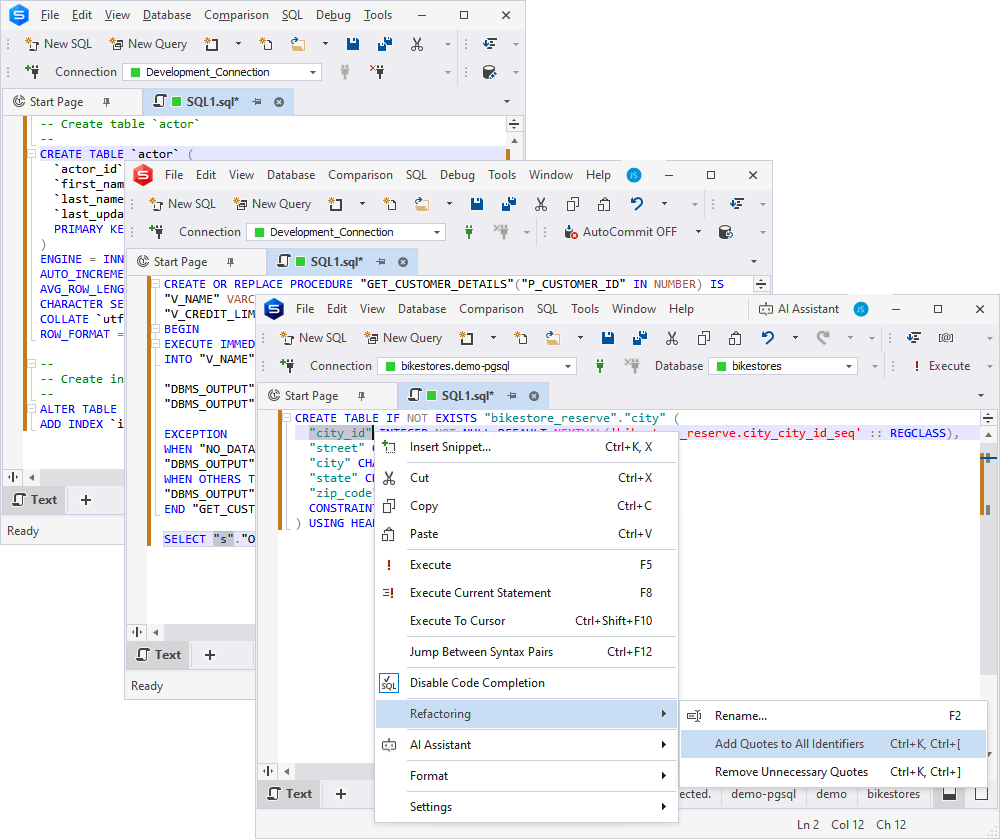
This is what the operation looks like in dbForge Studio for SQL Server.
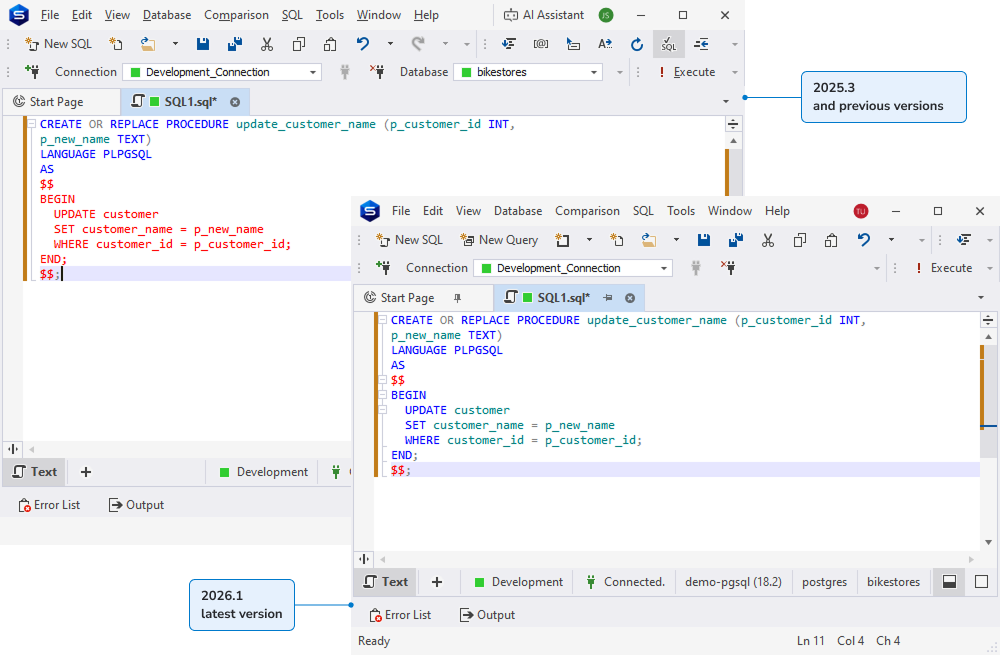
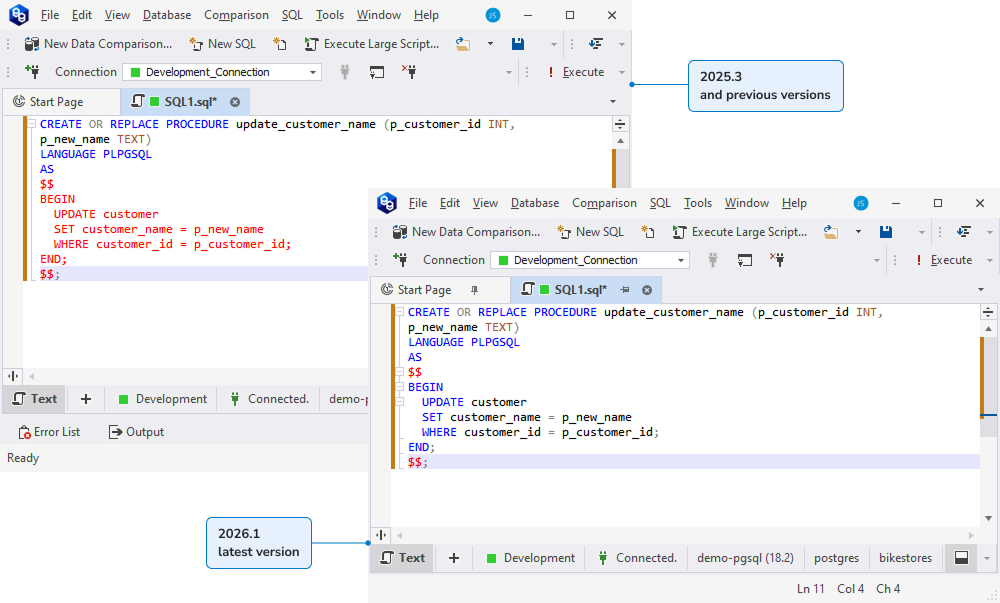
Another useful PostgreSQL-specific addition to SQL Editor is the support for proper syntax highlighting within code blocks enclosed in dollar quotes ($$ … $$). This will definitely be more convenient than displaying the said code blocks in plain red.
Extended code completion
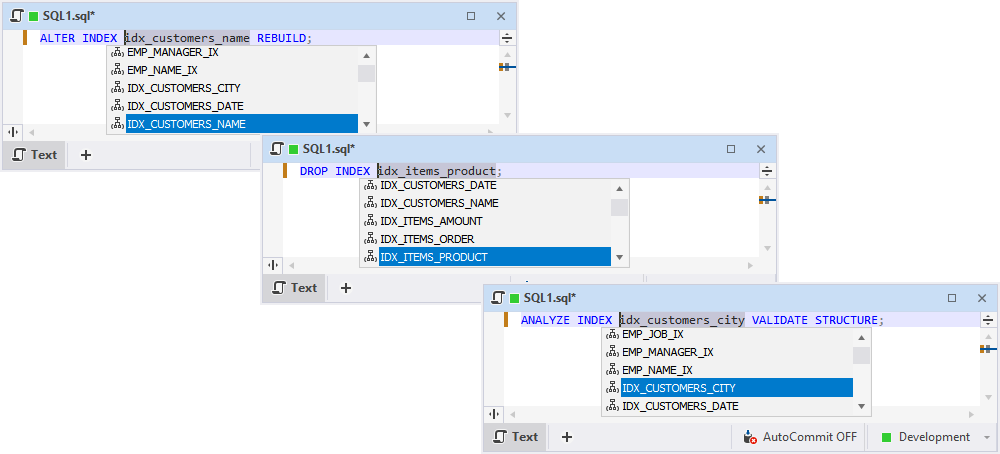
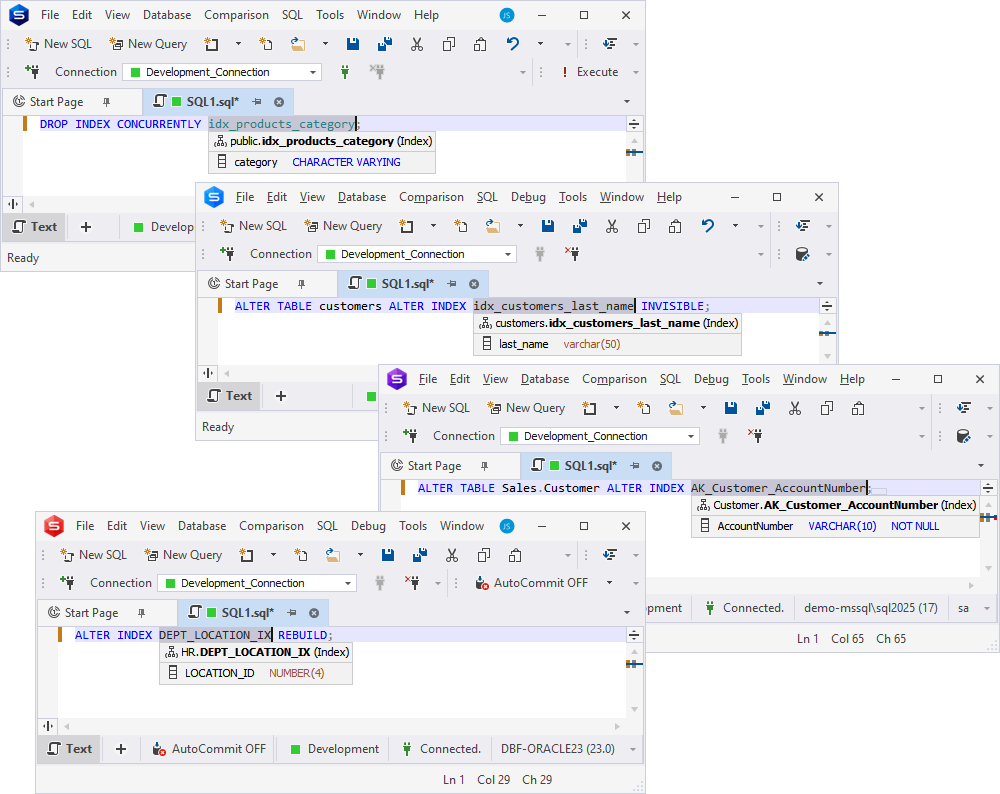
Now let’s move on to code completion. This is where we’ve implemented the suggestions of Oracle index names in ALTER INDEX, DROP INDEX, and ANALYZE INDEX VALIDATE STRUCTURE commands. Accordingly, a column’s quick info now displays that it is indexed.
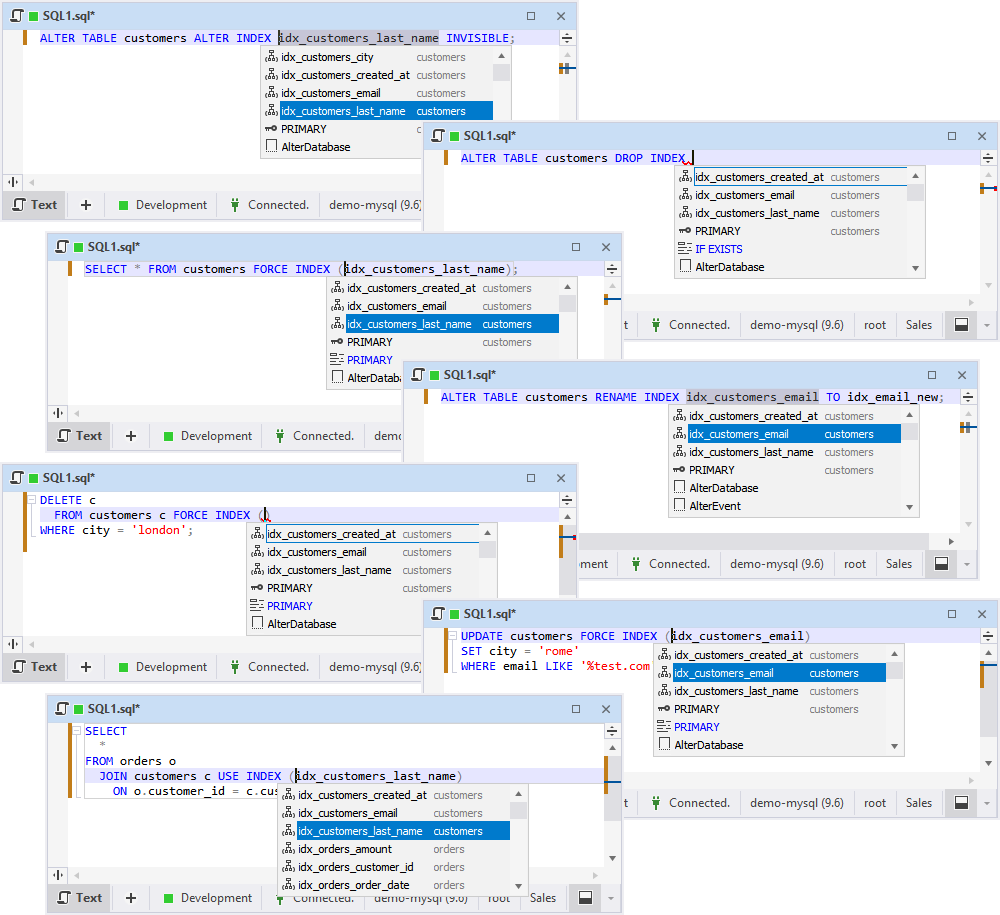
Similarly, we’ve implemented the suggestions of MySQL/MariaDB index names, having covered ALTER TABLE, DROP INDEX, RENAME INDEX, FORCE INDEX, USE INDEX, and IGNORE INDEX commands.
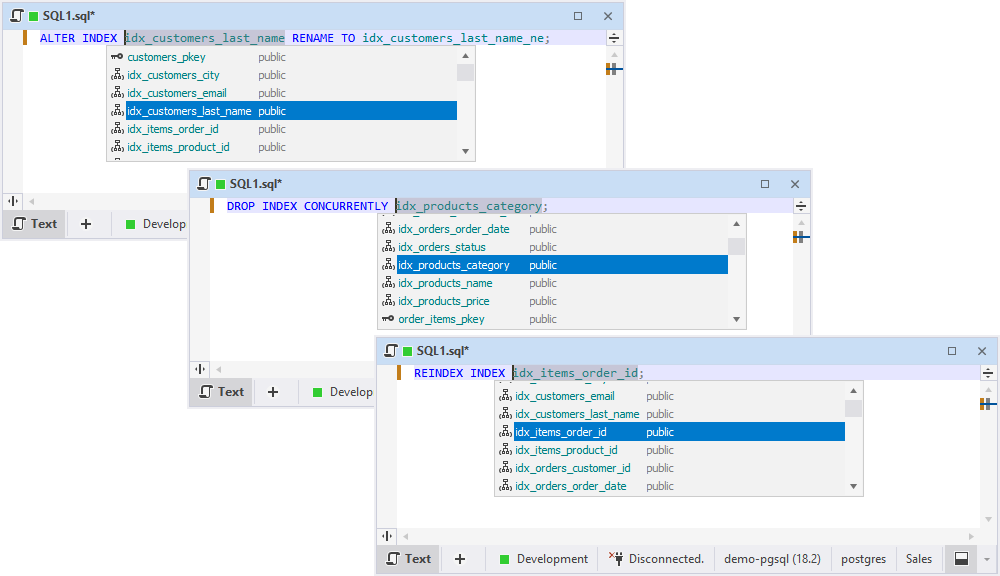
As for PostgreSQL, now you’ve got suggestions of index names in ALTER INDEX, DROP INDEX CONCURRENTLY, and REINDEX INDEX commands.
Document tab improvements
Your work with document tabs has just gotten better. Now you can pin tabs for quick access to important or frequently used files. Simple yet highly useful.
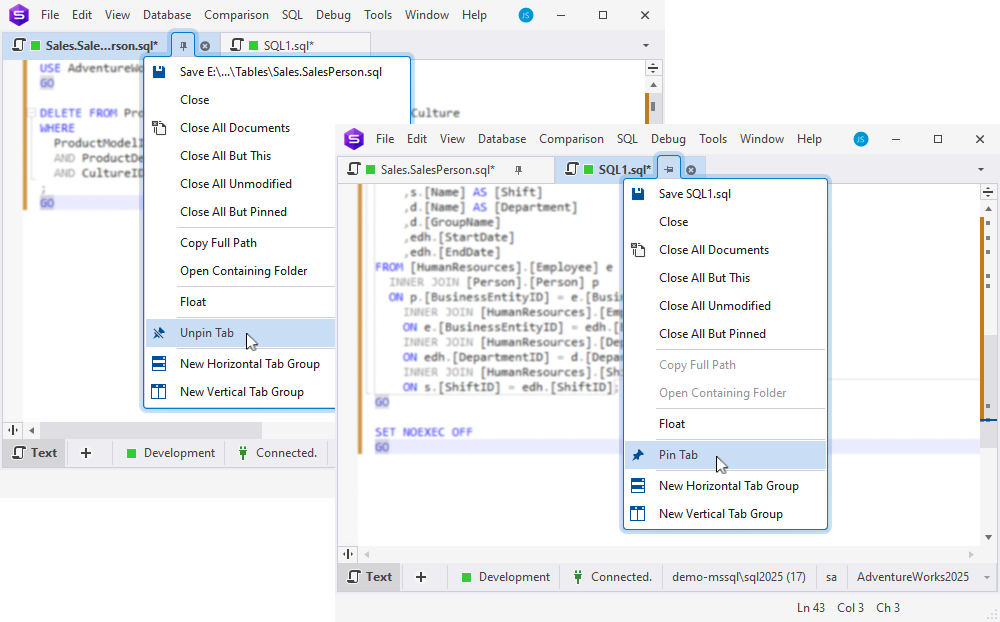
One more thing to keep you focused is that dbForge now keeps document tabs in the same order they had when the application was last closed. In other words, now you can pick up exactly where you left off.
Other improvements
As you can see, this release is packed with new features aiming to bring you greater convenience. Now here’s yet another one: from now on, your dbForge solution can restore your entire latest session at startup. Alternatively, you can select to show the Start Page. It’s all configured in Options > Environment > General, under Environment Settings.
Like we mentioned before, the quick info now displays a special icon indicating that the selected column is indexed.
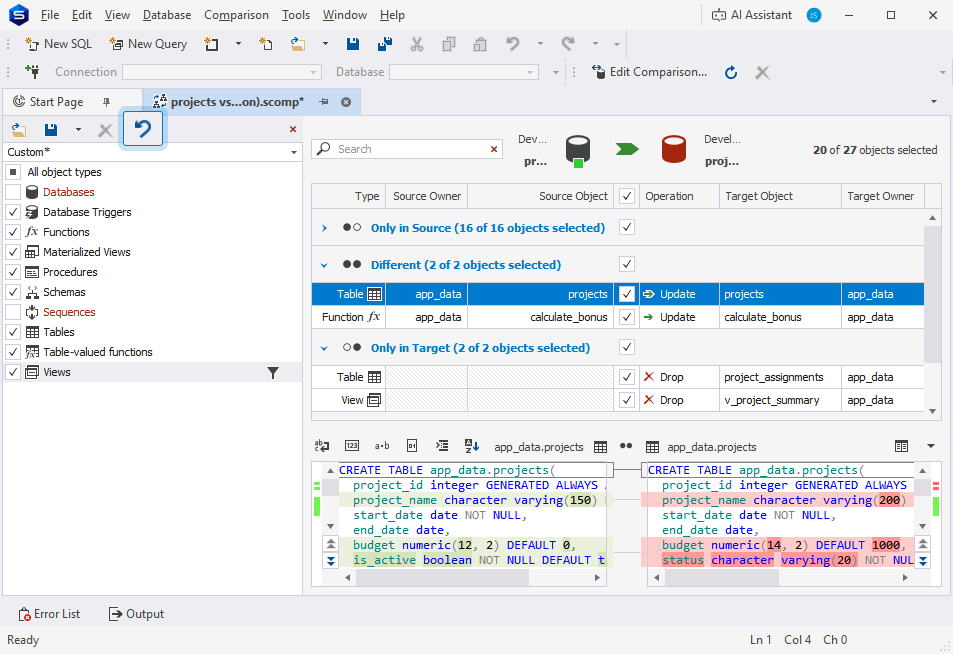
The Studio’s Schema Compare has received a new Object Filter toolbar button that discards the introduced changes. Now you can easily revert them to the last saved, loaded, or default state with a single click.
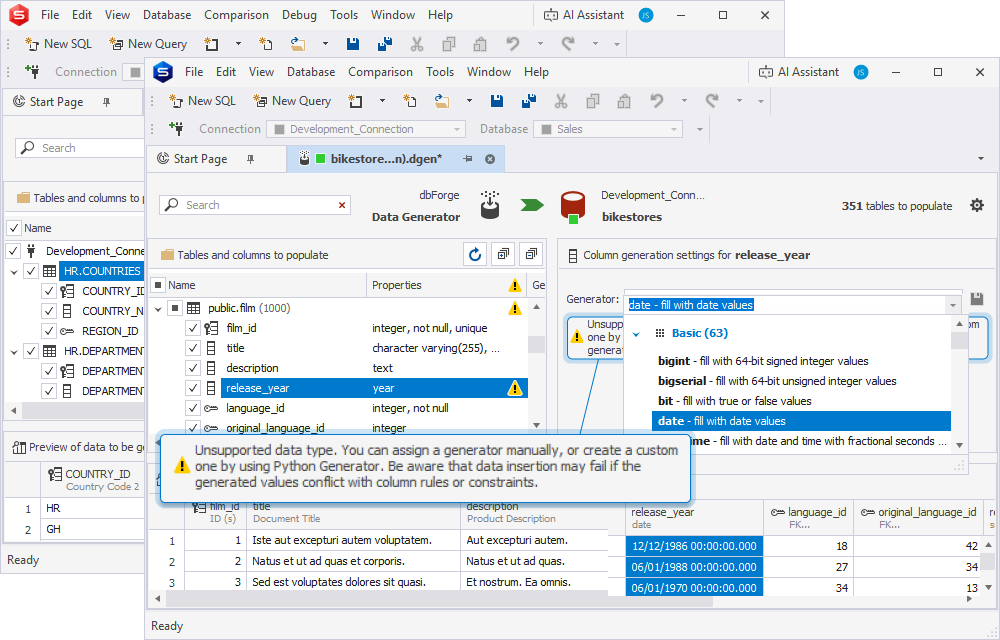
When configuring a data generation process, you can select to include columns with unsupported data types. The list of such types is individual to each DBMS.
Please note that such columns are not selected by default, and including them is followed by a corresponding warning.
Last but not least: A big update of dbForge Studio for PostgreSQL
Yes, the remainder of today’s news will be fully dedicated to dbForge Studio for PostgreSQL, and we can’t help but start with the biggest feature: we’re introducing a full-fledged visual Query Builder that helps build queries of any complexity on intuitive diagrams, without manual SQL coding.
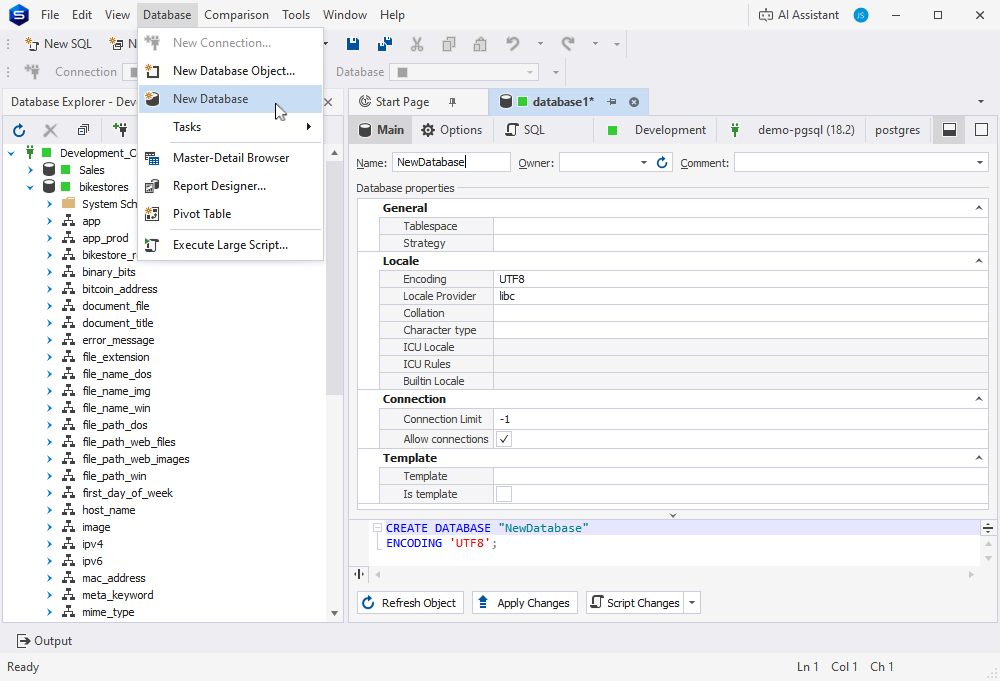
The following feature isn’t any less important. Now you can view, create, and modify database objects with the Studio’s graphical interface. In other words, it’s database design made simple.
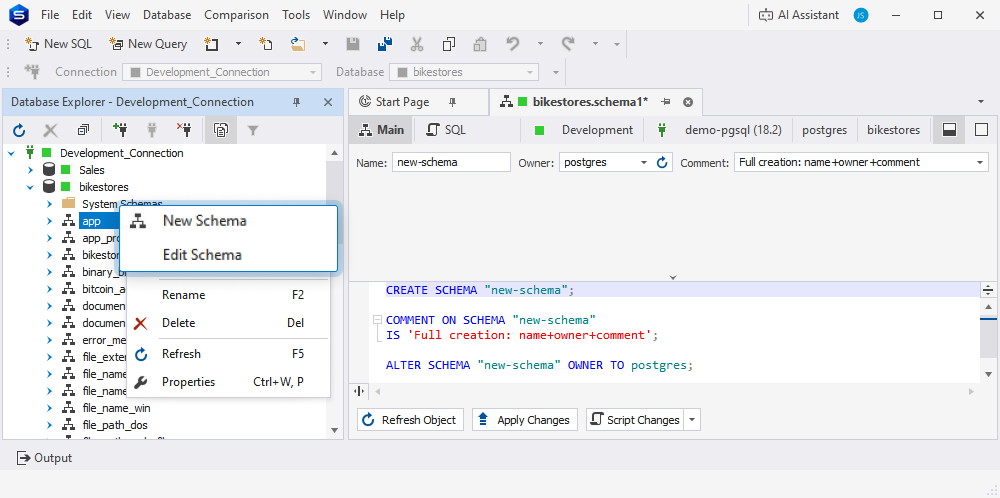
If you’d like to design, view, and modify database schemas visually, you’ve got it as well.
Finally, if you prefer the visual way of creating, editing, and managing database tables, we’re glad to provide you with the tools to do so.
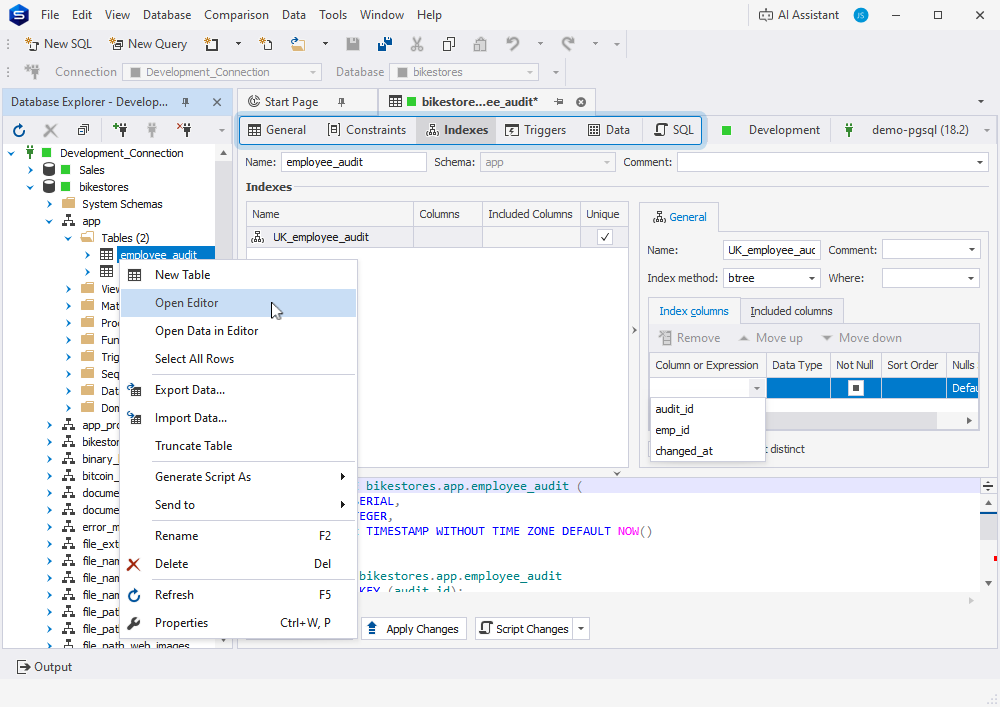
Now let’s move on to a fuller and clearer schema comparison and synchronization workflow that we’ve implemented in dbForge Studio. It will help you manage the comparison and synchronization behavior most conveniently.
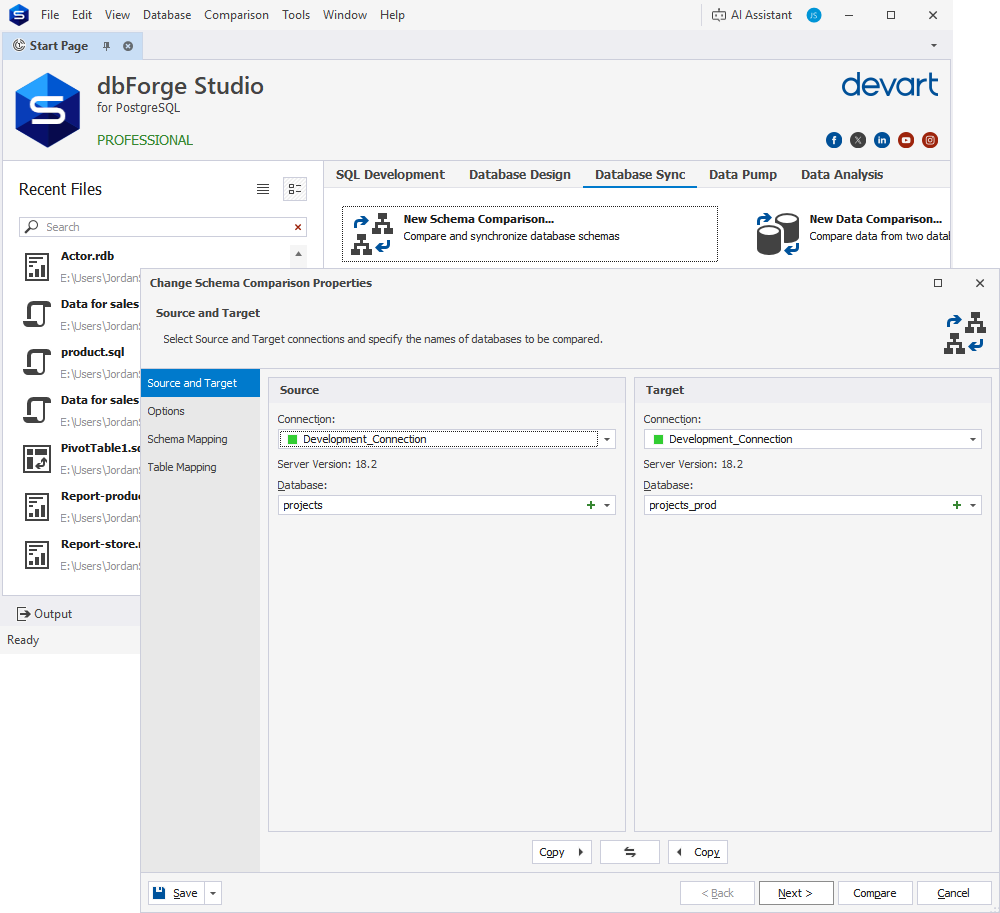
You’ll see it once you open the New Schema Comparison wizard. We have expanded support for PostgreSQL and related servers, so the Source and Target page will no longer greet you with a restriction warning.
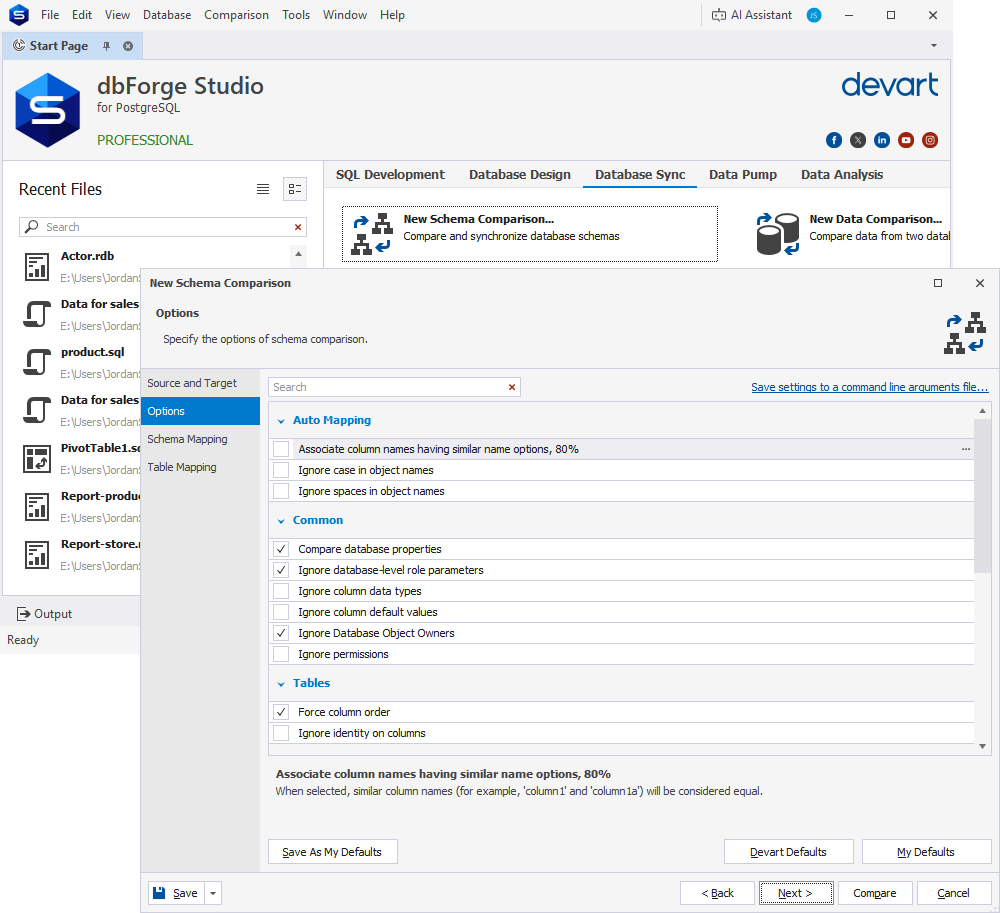
There are also three new wizard pages at your disposal. Options will help you make your configurations more flexible and precise. The options in question include ignoring database object owners, white spaces, comments, case (in object names and definitions), constraint names, column data types, permissions, and foreign keys. Additionally, they include associating column names with 80% similarity, forcing column order, and six universal sequence-related options.
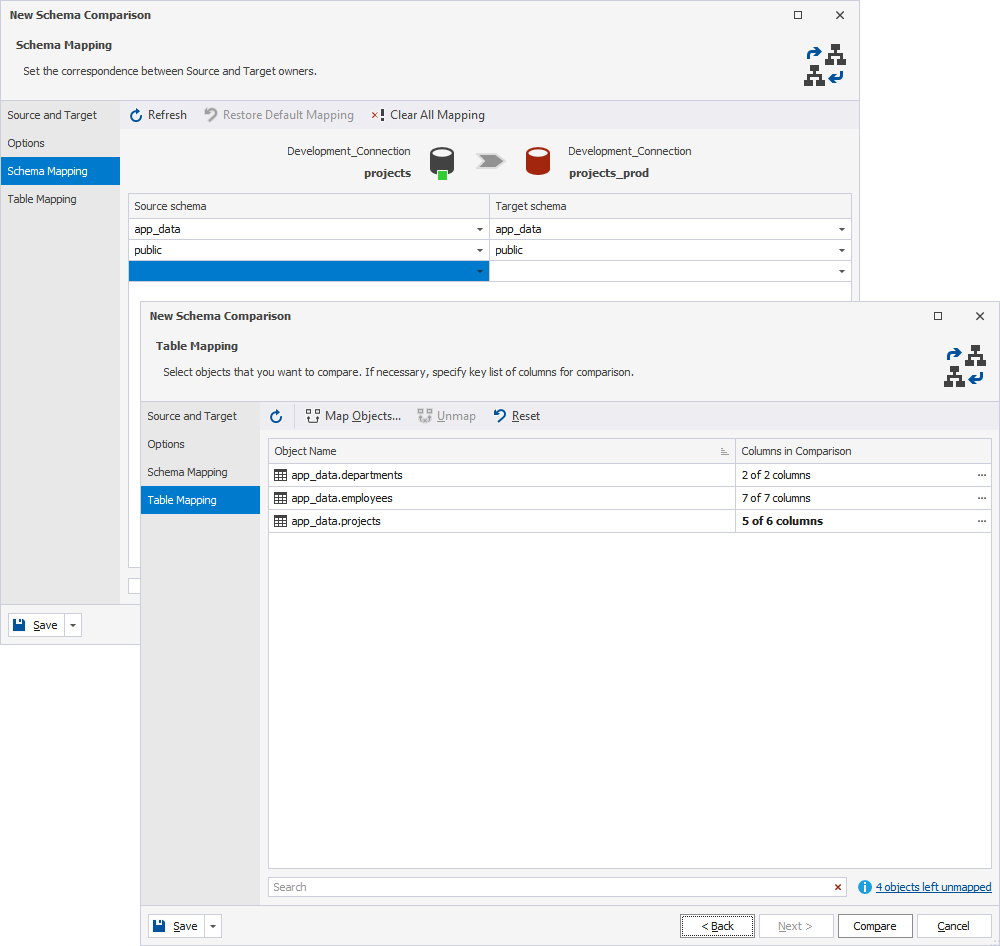
Further new pages implemented for the New Schema Comparison wizard are dedicated to database schema and table mapping.
The Studio’s Schema Synchronization Wizard has similarly received a new Options page. It allows customizing your sync operations by generating fully qualified object names, including/excluding comments, and using a single transaction for the operation.
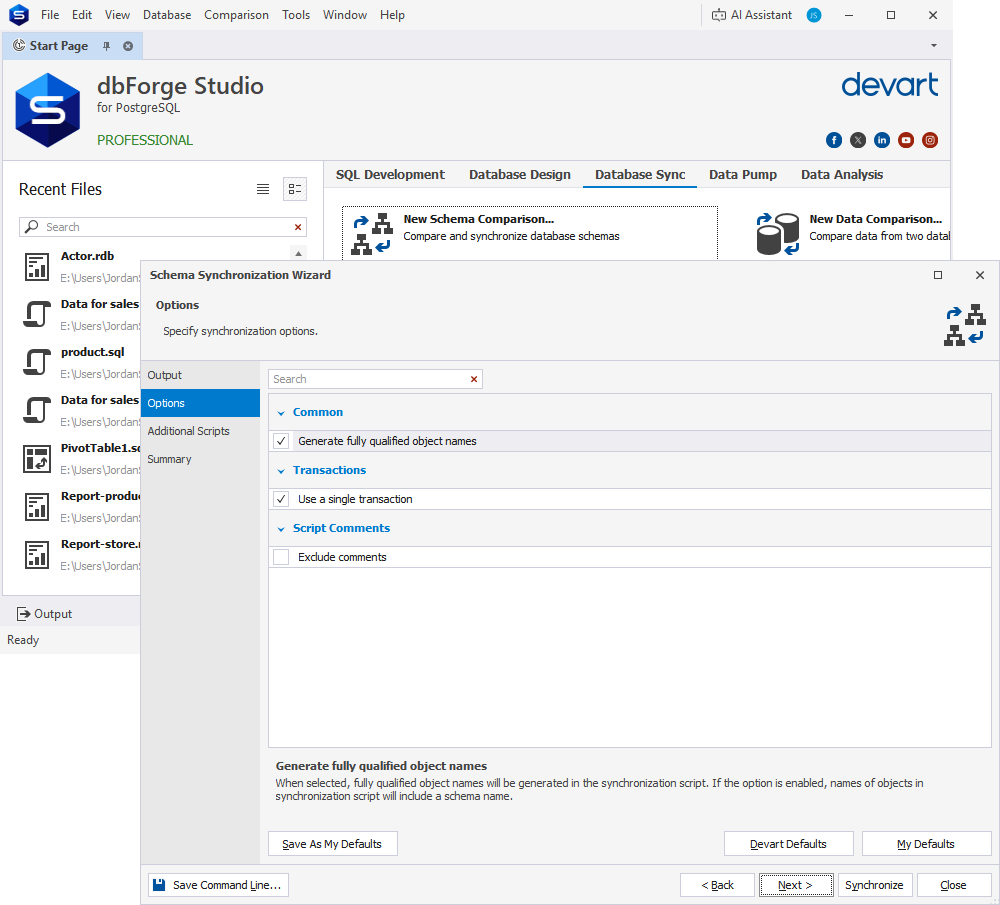
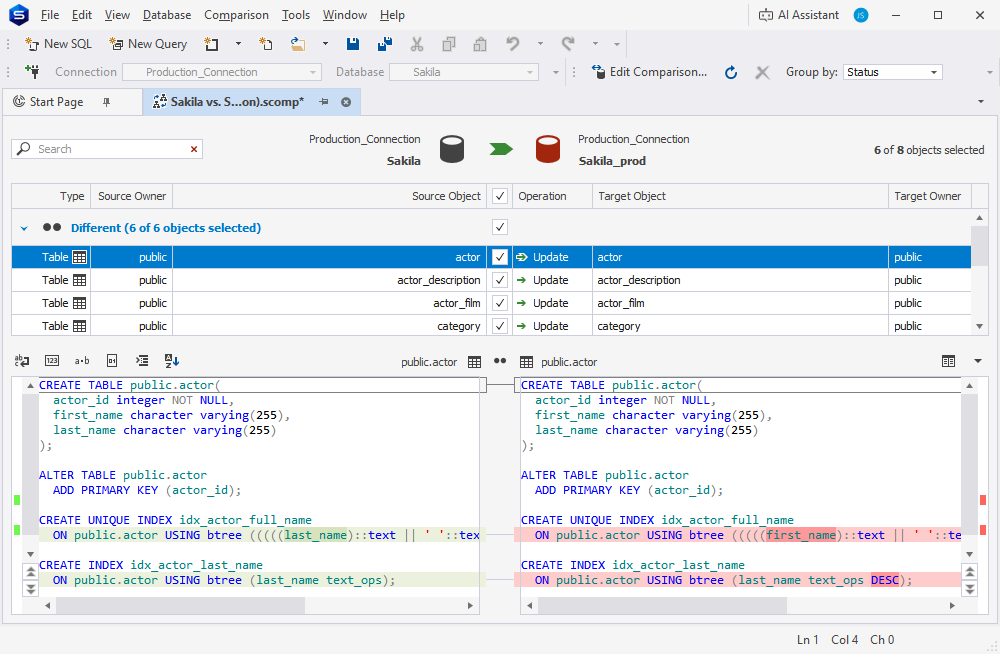
From now on, you can compare and synchronize indexes on tables and materialized views in PostgreSQL Server, Greenplum DB, and Elephant SQL. The functionality covers properties such as uniqueness, method, columns/expressions, sort order, included columns, storage parameters, WHERE predicates, and comments. At the same time, tablespace indexes, extension dependencies, and automatically created constraint indexes remain untouched.
The last feature for today’s release provides support for columns defined with GENERATED { BY DEFAULT | ALWAYS } AS IDENTITY. Such columns are properly handled by syntax check, as well as described, compared, synced, and populated with test data.
For instance, if we take this table as our source and insert data into it:
CREATE TABLE t_identity(
  pk INT PRIMARY KEY,
  idt INT GENERATED BY DEFAULT AS IDENTITY
  );
And if we take this one as our target:
CREATE TABLE t_identity(
  pk INT PRIMARY KEY,
  idt INT GENERATED ALWAYS AS IDENTITY
  );
We can freely compare and synchronize them using Data Compare or Schema Compare, and the auto-generated sync script will run properly without any issues. The same goes for data populations with Data Generator.
Get your dbForge 2026.1 update here and now!
The update has been rolled out, so you can open the dbForge product you’re using, proceed to Help > Check for Updates, and get your new, shiny, and polished version right away.
If you’re not a user of dbForge yet, we gladly invite you to pick any product for a free trial and give it a go.
Finally, if you’re working with multiple database systems on different projects, you can try dbForge Edge, a solution that comprises four dbForge Studios and is your best bet for database design, development, management, and administration across SQL Server, MySQL, MariaDB, Oracle, PostgreSQL, and a number of related database systems and services, both on-premises and cloud-based ones.

