


How about ending this year on a major note? Enter dbForge 2025.3, our new release that covers the entire dbForge product line and brings lots of useful stuff to the table. This includes up-to-date connectivity options, a handful of UI/UX improvements, a wealth of newly supported syntax constructs, and a few more enhancements to make sure you start 2026 with your productivity at an all-time high.
Without further ado, let’s take a look!
What’s in the box?
- Connectivity and compatibility updates
- dbForge AI Assistant in SQL Complete
- Database diagrams
- Code formatting
- Visualization of MySQL query execution plans on diagrams
- UI/UX improvements
- Newly supported syntax constructs and other enhancements
- Get your dbForge 2025.3 update right now!
Connectivity and compatibility updates
If you’re working with SQL Server and using SSMS alongside dbForge add-ins—such as SQL Complete, Data Pump, Source Control, Index Manager, Monitor, Search, and Unit Test—you can rest assured that all of them flawlessly integrate with SSMS 22. So if you are willing to switch to the latest version of your favorite IDE, our add-ins are ready. Also note that you have an option to select SSMS 22 as the primary IDE version in application settings.
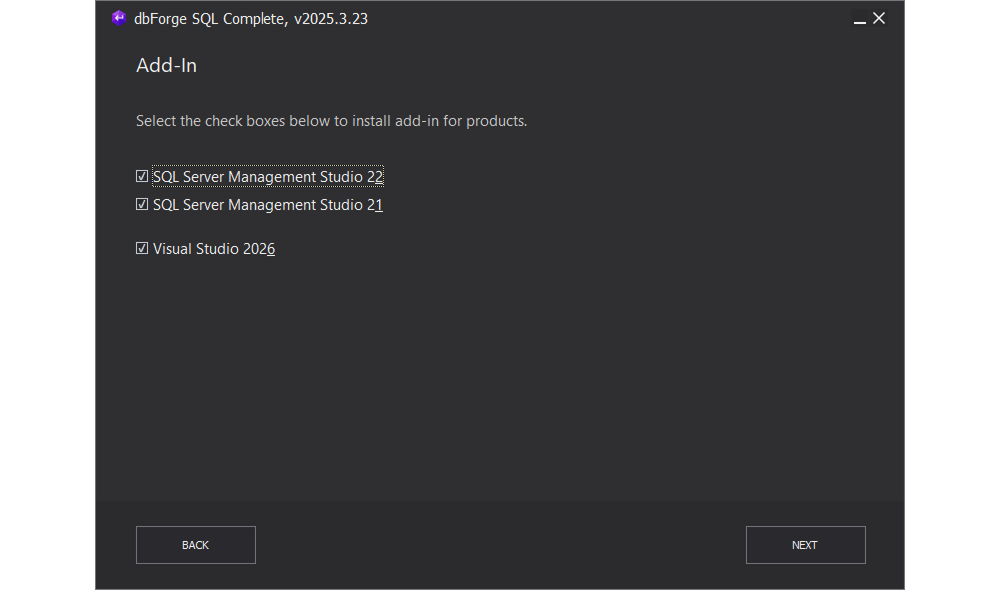
We’ve also covered dbForge SQL Complete users who want to wield the full firepower of the recently released Visual Studio 2026 as soon as possible, you won’t have any trouble either. With our update, we made sure you can integrate SQL Complete into your new Visual Studio in no time.
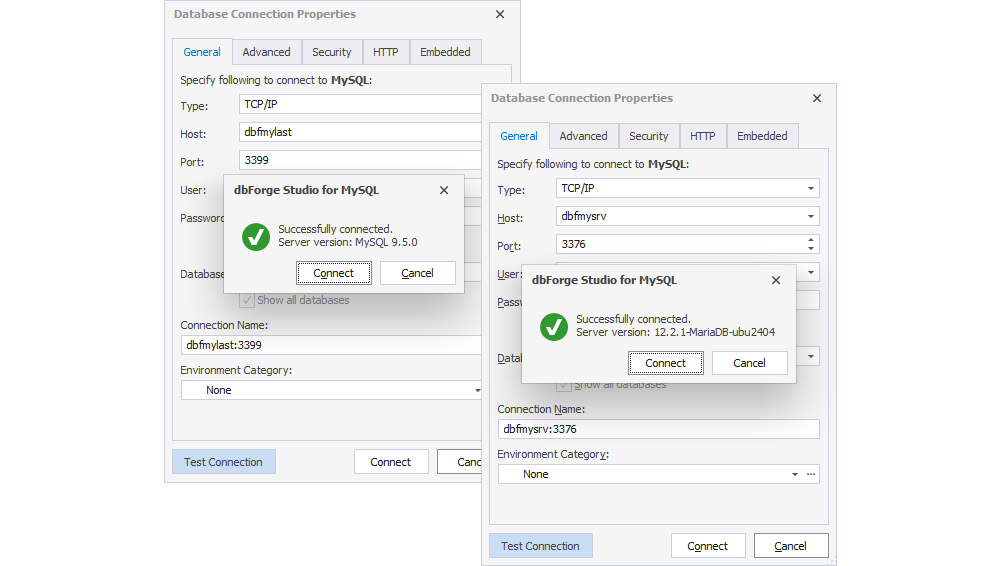
We’ve also made sure all of our tools are perfectly compatible with the latest database server versions. For instance, dbForge tools for MySQL received support for MySQL 9.5 and MariaDB 12.2.
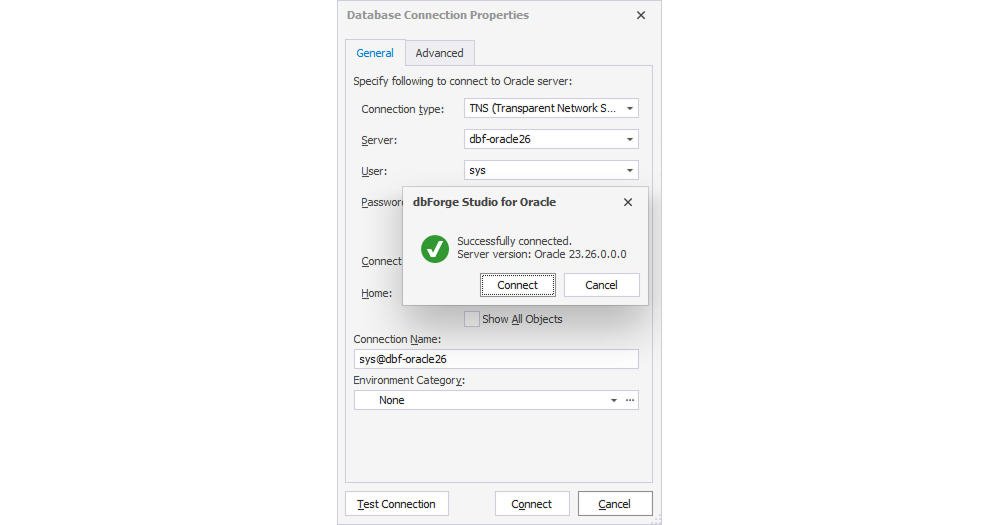
If you’re an Oracle Database user, you can work with Oracle 26i.
Finally, in order to keep up with the modern AWS infrastructure, we have implemented support for AWS RDS Proxy with the caching_sha2_password authentication.
dbForge AI Assistant in dbForge SQL Complete
Previously, dbForge AI Assistant was only available in standalone dbForge products. But what if you’re using a bundle of add-ins like dbForge SQL Tools? Well, today, dbForge SQL Complete, the flagship of the bundle, marks the first time our AI Assistant is available in an SSMS add-in. This long-anticipated integration can be invoked within seconds from the SQL Complete menu.
If you’re not acquainted with the rich capabilities of dbForge AI Assistant yet, here’s a brief list to give you an overall picture.
- Instant conversion of natural language input to valid SQL code
- Generation of queries that are relevant to the context of your databases
- Optimization and troubleshooting of pre-written queries
- Detailed explanations of SQL query syntax
- Analysis and clarifications of query execution errors
- AI chat on any issue related to databases and SQL
- Built-in web search for the most up-to-date information
- Integration with multiple dbForge solutions (now including SQL Complete!)
Interested? Try it out!
Database diagrams
Our next handy feature is object search on database diagrams, introduced across all dbForge products. Now you can instantly locate objects and navigate to them directly on ER diagrams using Find. In addition to object names, the search covers stamps, notes, relationships, and container names. This feature will prove especially useful if you often have to deal with large diagrams.
Code formatting
Next, we have a few formatting improvements, applied across all dbForge products. First and foremost, we have added camelCase formatting for identifiers. Additionally, we have renamed Initial Caps to Capitalized and Initial Caps Each Word to PascalCase, ensuring backward compatibility with the existing formatting profiles.
Visualization of MySQL query execution plans on diagrams
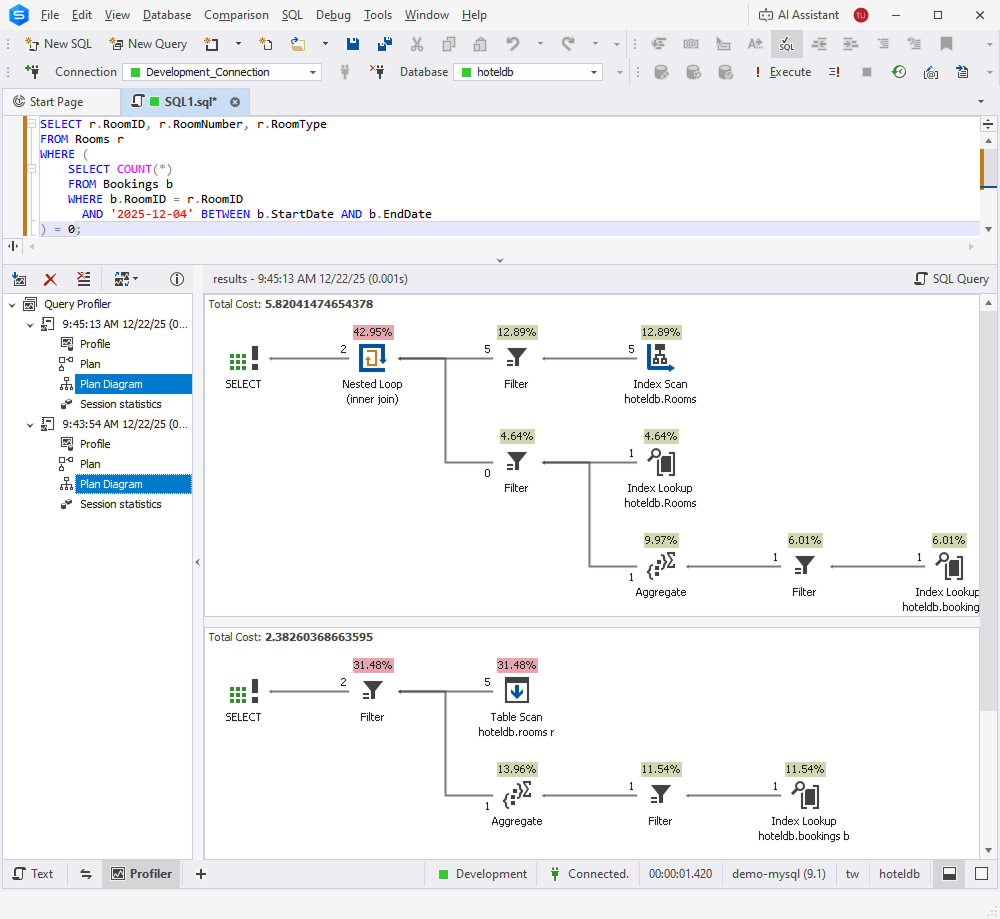
Now, let’s proceed to an important MySQL-specific enhancement. We’ve added the visualization of MySQL query execution plans on diagrams. From now on, the process of analyzing query performance and optimizing the execution flow will be more convenient.
UI/UX improvements
To make your work even more convenient, we have implemented scrollbar annotations to help you navigate large scripts and quickly locate important areas directly in the editor. Colored markers on the vertical scrollbar show modified lines, references, syntax errors, code analysis results, breakpoints, bookmarks, and the current caret position.
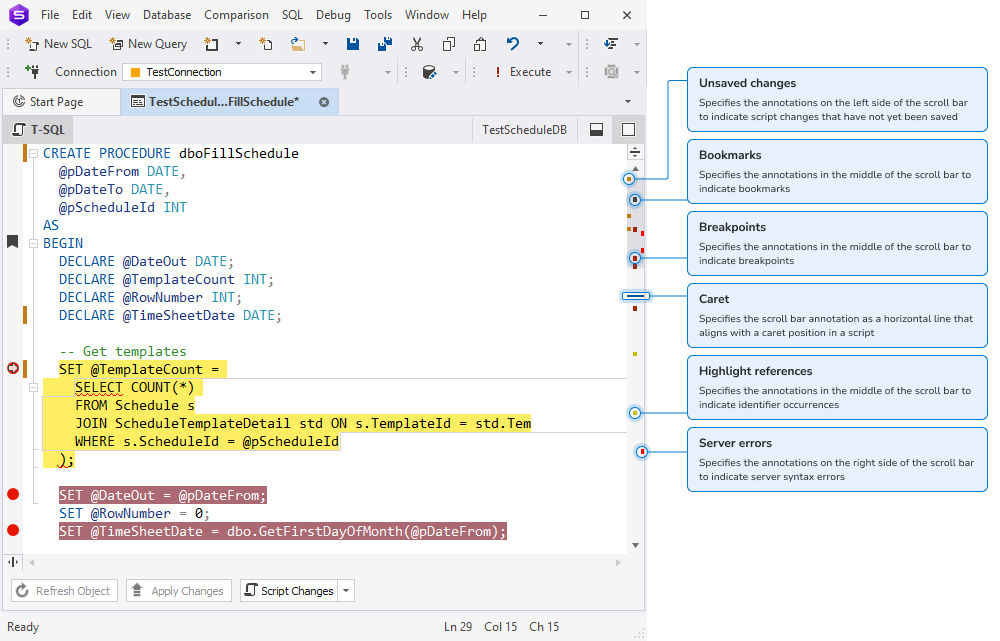
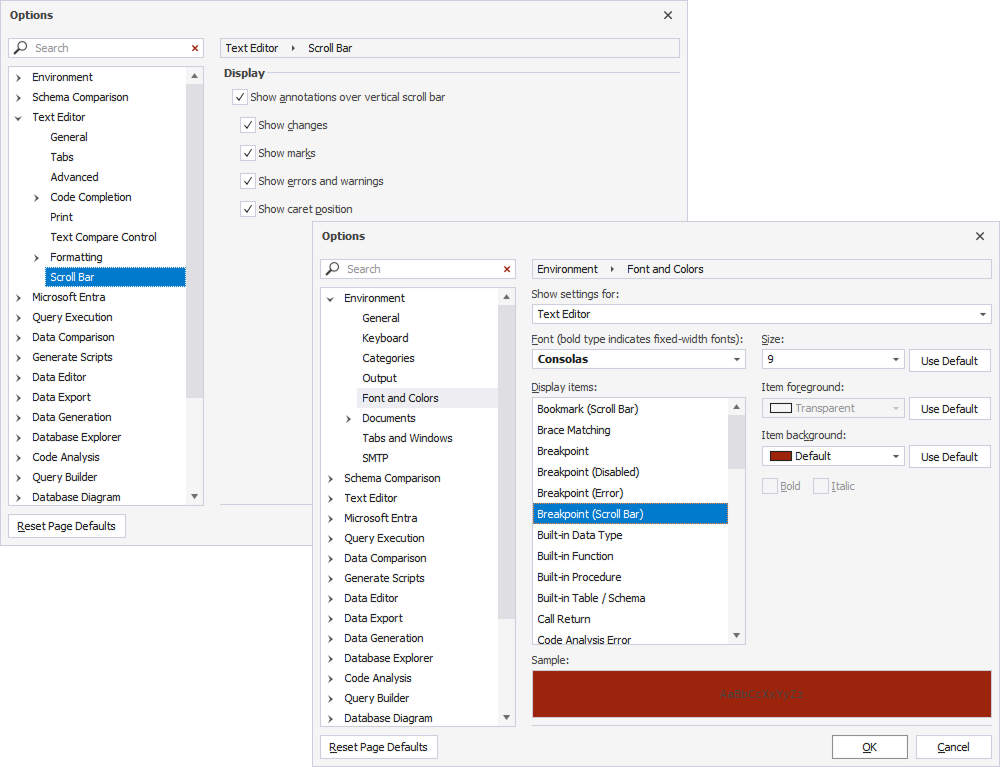
You can enable and configure annotations in Tools > Options > Text Editor > Scroll Bar. Annotation colors can be customized in Tools > Options > Environment > Font and Colors.
Next, we have added automatic wrapping of selected text in single and double quotes, brackets, braces, and parentheses. That is, when you select text in the editor and type an opening character, the selection is automatically wrapped with a matching pair. This will definitely speed up your routine editing of identifiers and strings.
This feature comes enabled by default and can be turned off in Tools > Options > Text Editor > General by clearing the Automatically surround selections when typing quotes or brackets checkbox.
Newly supported syntax constructs and other enhancements
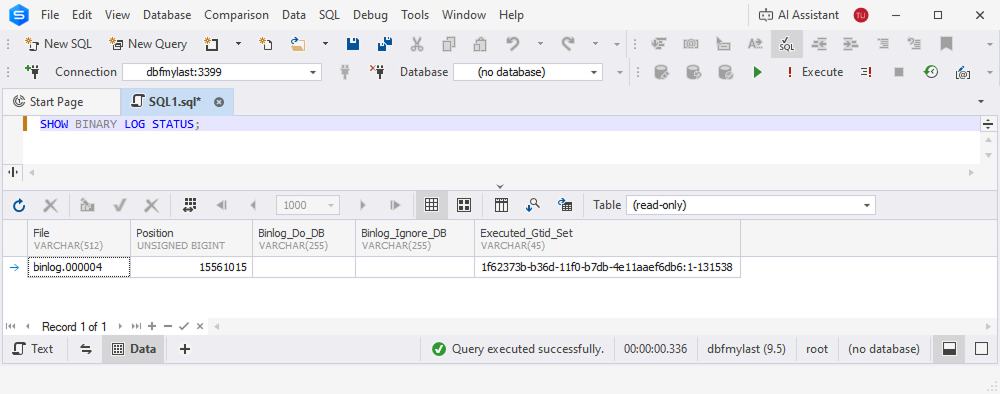
We’ve added support for the SHOW BINARY LOG STATUS statement in MySQL, ensuring its correct parsing and validation in SQL Editor.
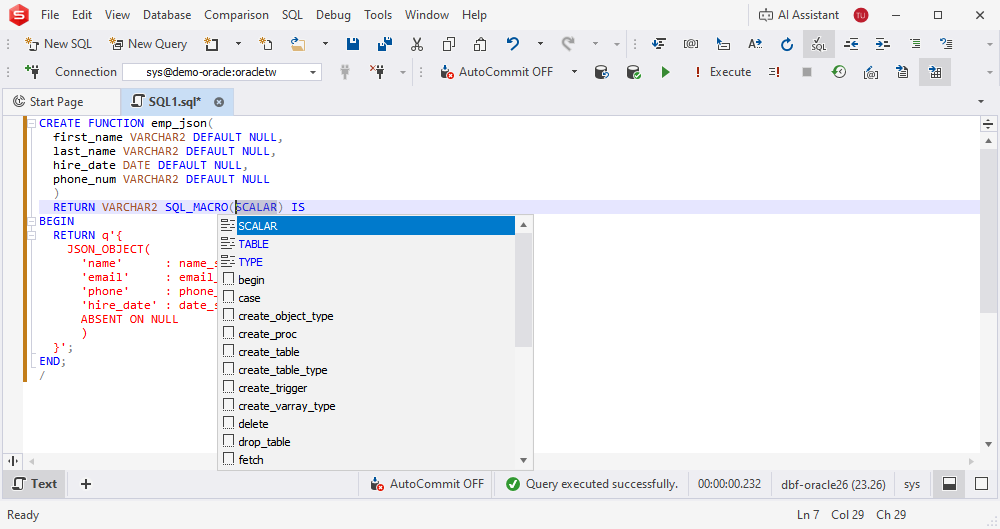
As for Oracle, we’ve added syntax check support for SQL_MACRO functions (SCALAR and TABLE types) and SELECT operations from pipelined table functions such as DBMS_CLOUD.LIST_OBJECTS.
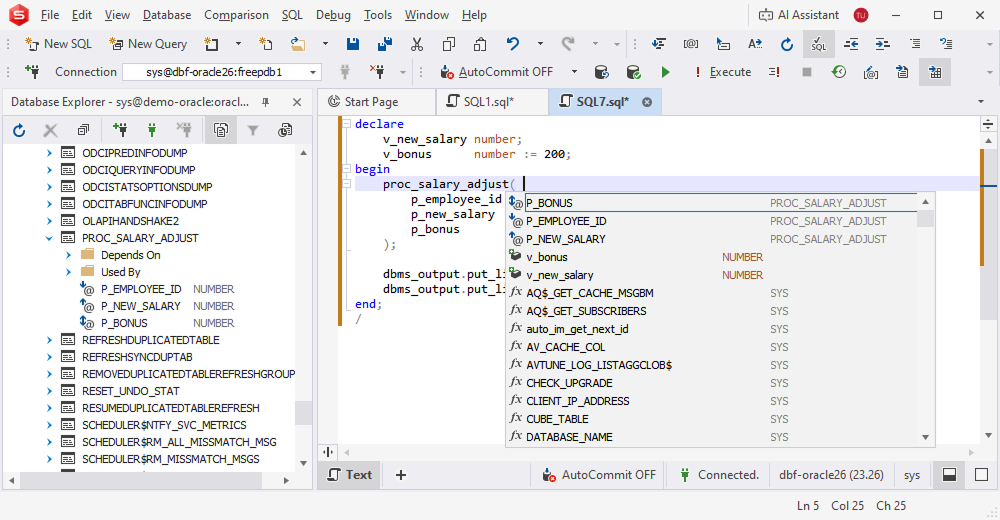
We have also implemented code completion for named parameters in Oracle procedures and functions, displaying parameter names (e.g., in DBMS_OUTPUT.PUT_LINE) and inserting them automatically when selected, improving accuracy and speed when writing EXEC statements.
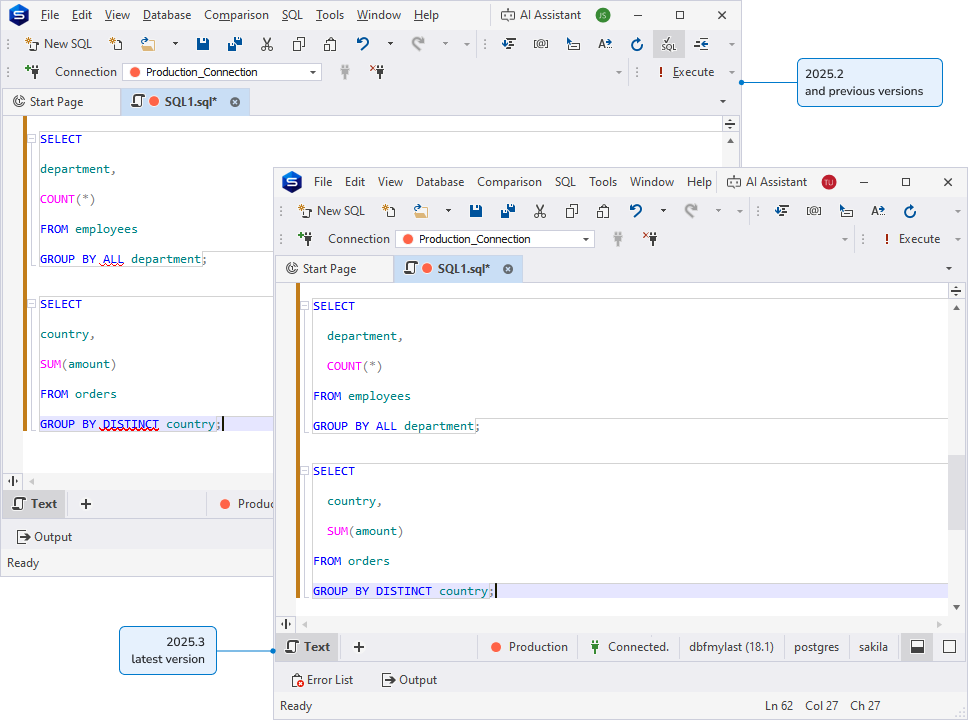
The remaining updates in this section all cover the PostgreSQL product line. First, we have extended support for the SELECT statement to include PostgreSQL-specific syntax such as [ALL | DISTINCT] in GROUP BY and the WITH TIES option in FETCH clauses, ensuring complete parsing, validation, and formatting coverage.
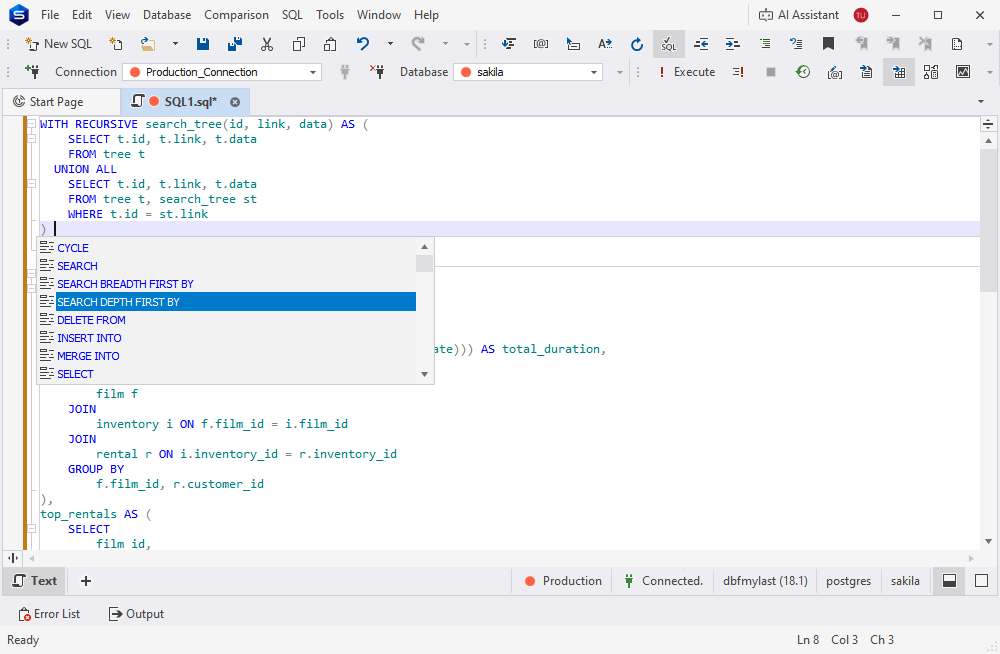
Next, we’ve added full support for the WITH clause, including common table expressions with MATERIALIZED and NOT MATERIALIZED options, and advanced constructs such as SEARCH and CYCLE. With this useful addition, you get proper parsing, validation, and code completion for complex query structures.
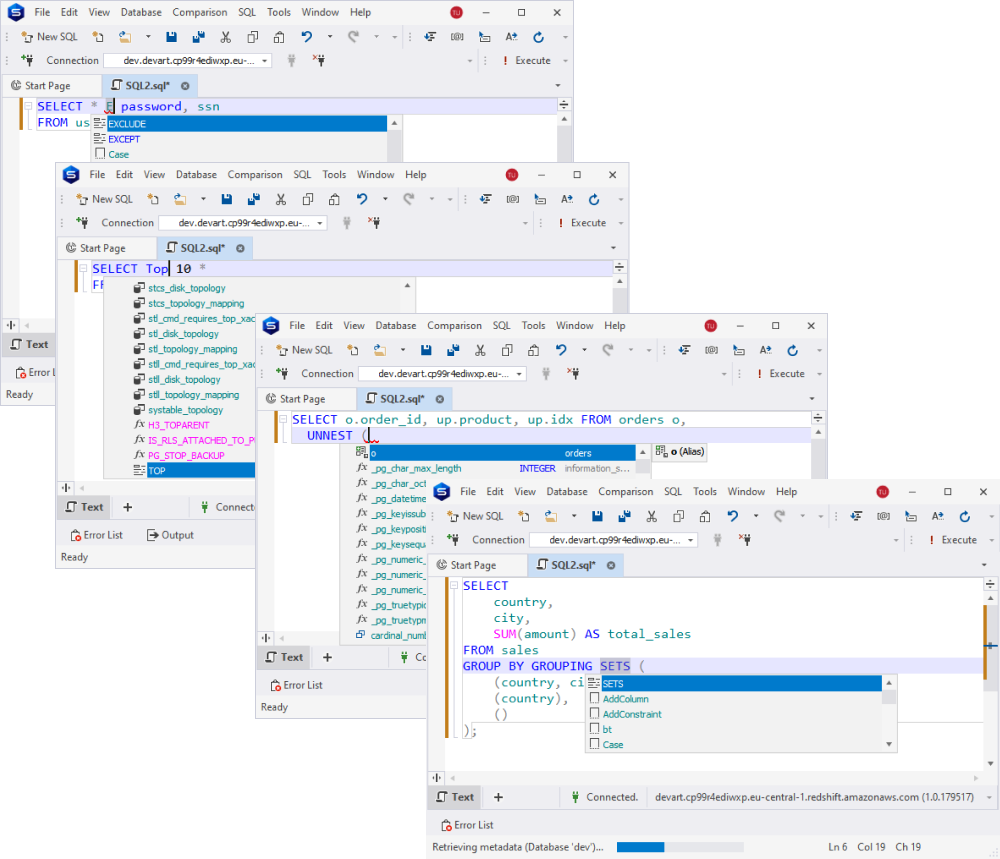
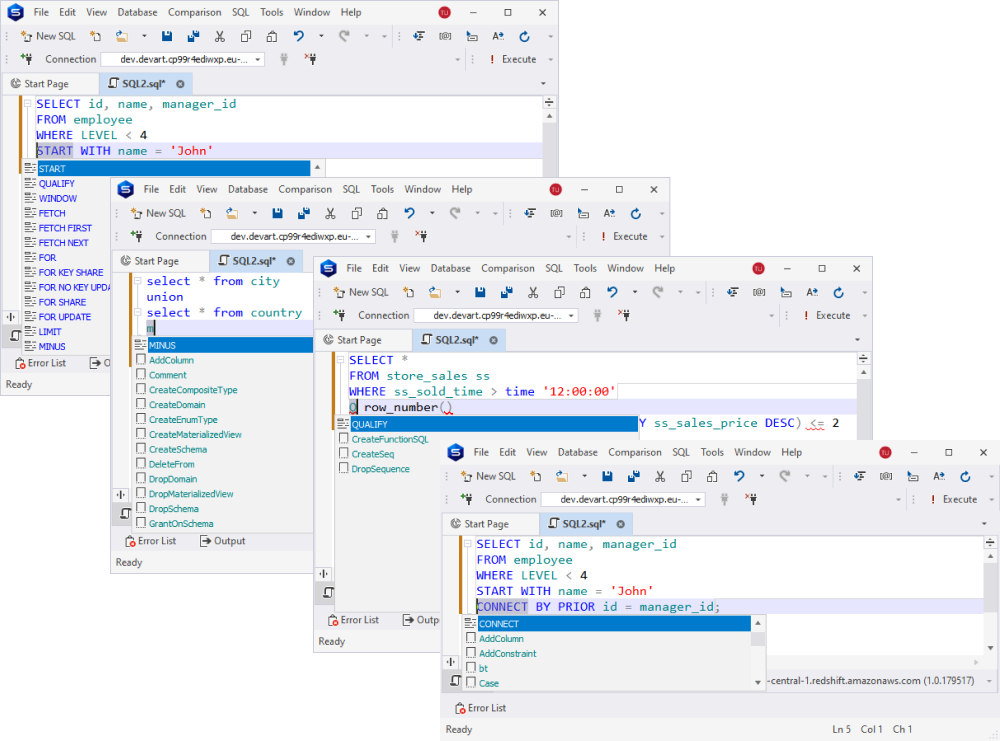
We have implemented support for Redshift-specific SELECT-related constructs such as WITH, TOP, EXCLUDE, PIVOT, UNPIVOT, CONNECT BY, QUALIFY, and MINUS. Again, this will ensure broader SQL coverage and improved query translation.
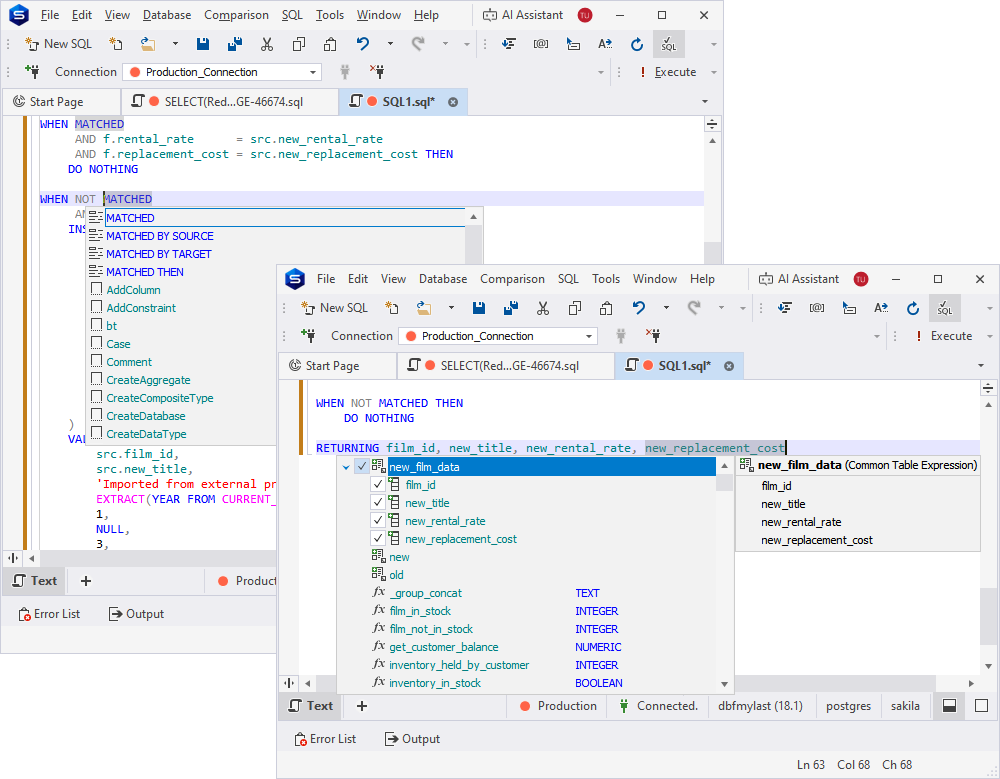
Next, we have enhanced code completion and syntax check to fully embrace the MERGE statement in PostgreSQL and Redshift. From now on, you get accurate validation, formatting, and intelligent editing of upsert queries.
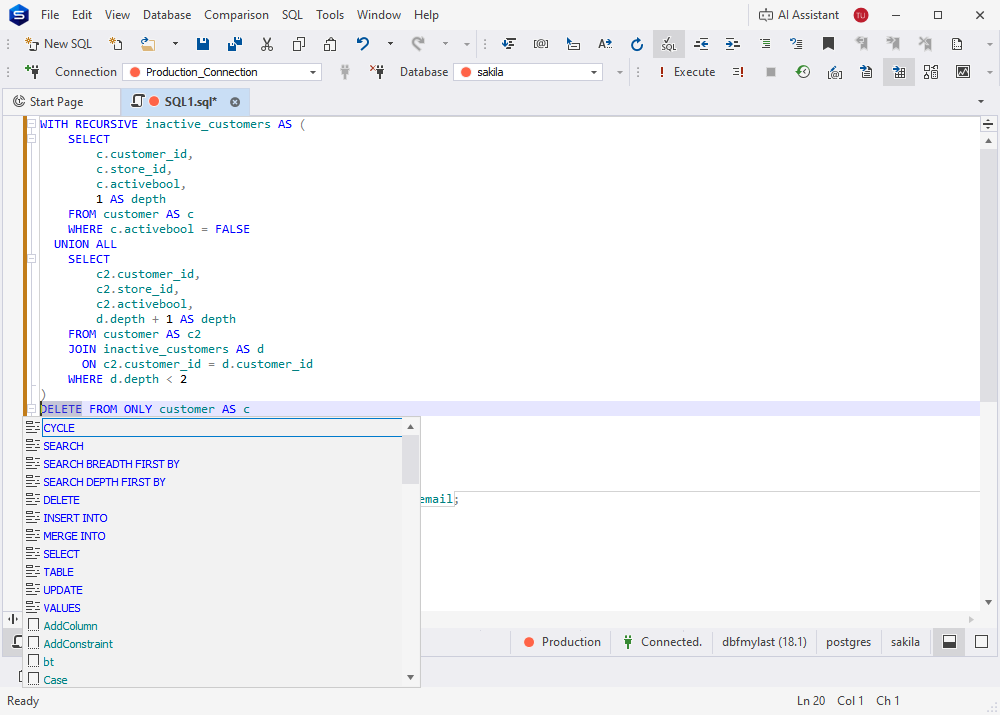
The DELETE statement has also received expanded support with advanced syntax that includes WITH clauses, WHERE CURRENT OF for cursors, and complete RETURNING expressions with output aliases. These enhancements apply to syntax check, code completion, and parsing for PostgreSQL-compatible scripts.
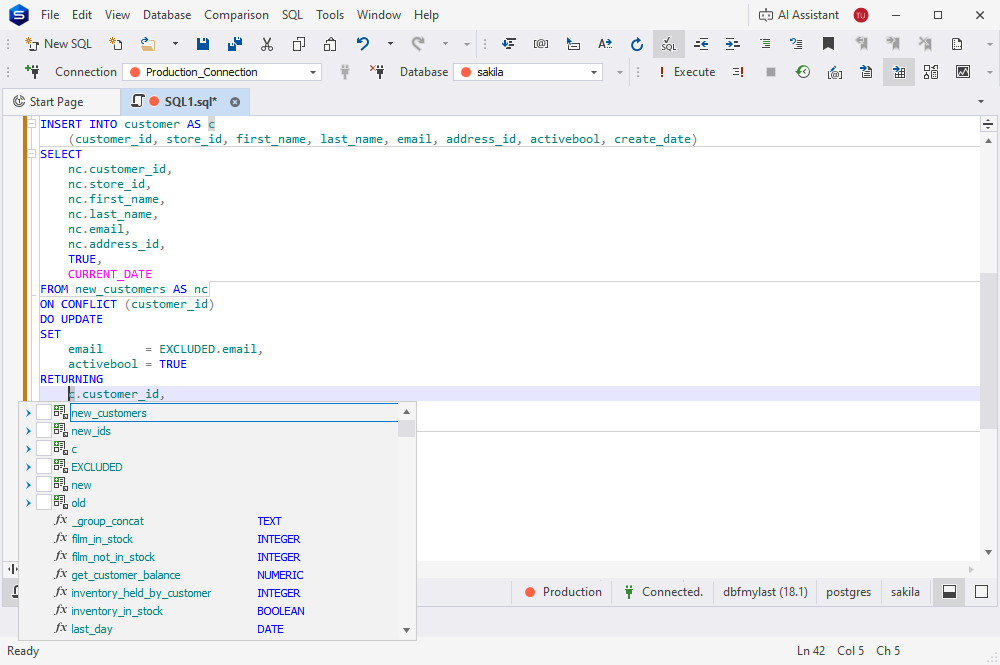
Moving on to the INSERT statement! We’ve expanded its capabilities to include the complete PostgreSQL syntax, such as WITH clauses, OVERRIDING VALUE, full ON CONFLICT options, and advanced RETURNING expressions with output aliases.
Support for the UPDATE statement has been similarly extended to embrace the complete syntax of PostgreSQL. In this case, we mean WITH clauses, WHERE CURRENT OF for cursors, and full RETURNING expressions with output aliases.
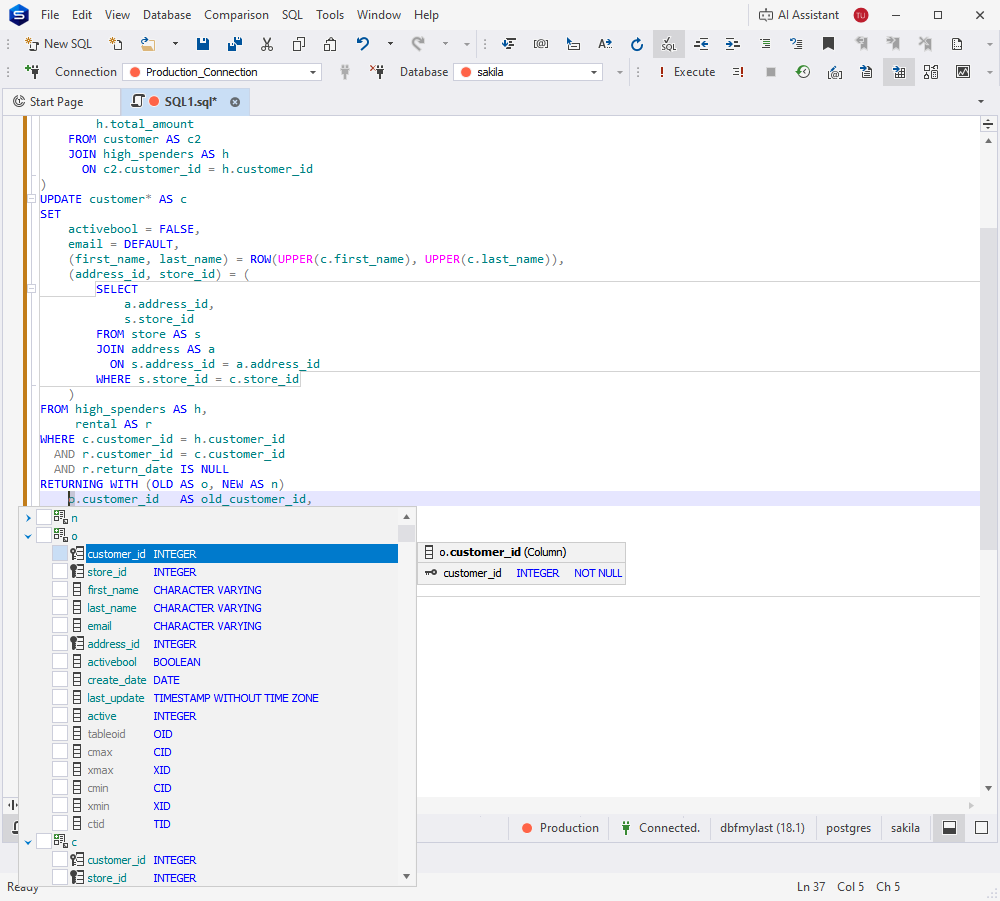
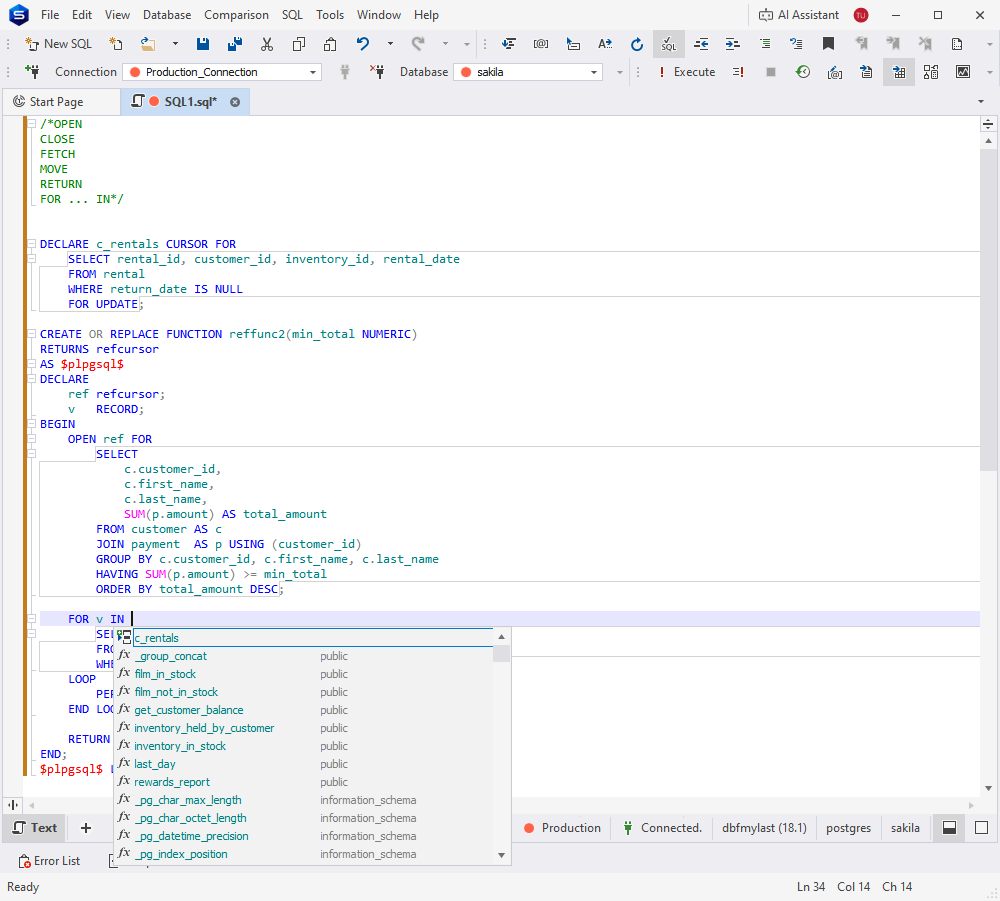
Finally, we have implemented code completion for declared cursors in PostgreSQL, providing suggestions in statements such as OPEN, CLOSE, FETCH, MOVE, RETURN, and FOR … IN, improving accuracy and convenience when working with cursor-based logic.
Get your dbForge 2025.3 update right now!
The update has been rolled out, so you can open the dbForge product you’re using, proceed to Help > Check for Updates, and get your new, shiny, and polished version right away.
If you’re not a user of dbForge yet, we gladly invite you to pick any product for a free trial and give it a go.
Finally, if you’re working with multiple database systems on different projects, you can try dbForge Edge, a solution that comprises four dbForge Studios and is your best bet for database design, development, management, and administration across SQL Server, MySQL, MariaDB, Oracle, PostgreSQL, and a number of related databases and cloud services.

